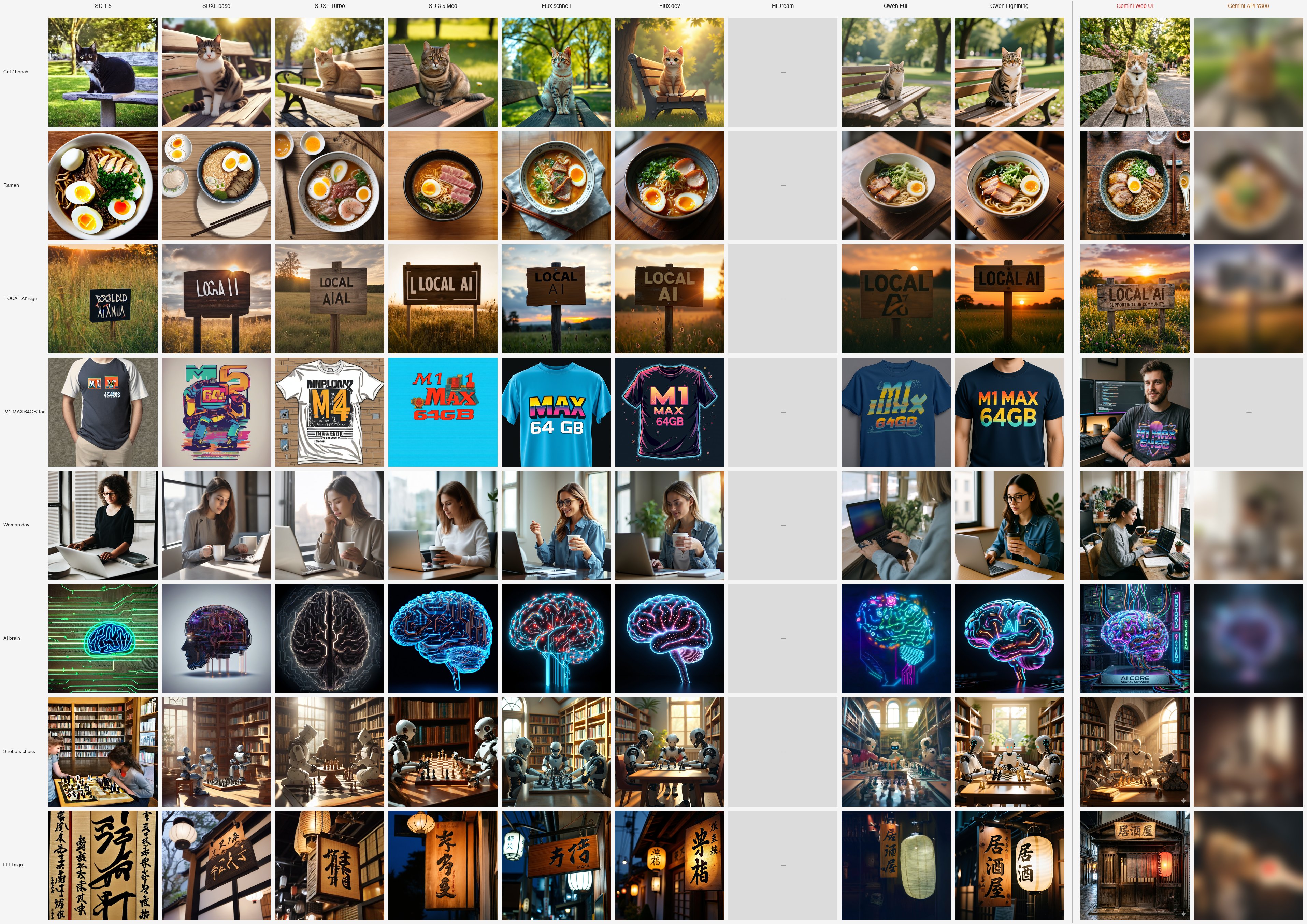
This article is a spinoff of Local image generation on Mac: 10 models compared, my top pick flipped. Per-model deep dive, v8.
TL;DR
- Qwen-Image Lightning is the upstream Qwen-Image (Alibaba 20B) with lightx2v's 8-step distillation LoRA applied
- On Mac M1 Max 64GB / Apple MPS, ~10 min per image — 9× faster than upstream Full (50-step / 93 min)
- The surprise wasn't speed — it was quality. There are prompts where finger count, object placement, and storefront depiction are better than Full
- Full's text-fudging tics (drops "I", warps "MAX") disappear in Lightning
- For Asian-circle article illustrations, the best local option. Apache 2.0, commercial OK
Why include this model
Upstream Qwen-Image was the only local model that fits on a 64GB Mac and is expected to handle kanji rendering and Asian food culture. Testing confirmed: it writes the 3 kanji "居酒屋" vertically, and it doesn't put cilantro in ramen.
But the cost was 93 min per image. 12 hours for 8 prompts. Even running it overnight, it can't support a workflow like "I want 2 candidates by morning."
So I tried lightx2v's Qwen-Image-Lightning-8steps-V1.0.safetensors. Just apply an 8-step distillation LoRA on top of Full's base model.
Distillations usually "trade quality for speed." I'd seen plenty of that with SDXL Turbo (1-step). My expectation was "a 5–6× faster degraded version of Full."
Reality flipped expectations. 9× faster + quality improvement on some prompts.
Environment setup
# Python 3.14 (3.10+ works)
python -m venv venv && source venv/bin/activate

pip install diffusers==0.37.1 torch==2.11.0 transformers
pip install peft  # ★ required for LoRA application — it dies with LOAD FAILED otherwise
Load code:
from diffusers import QwenImagePipeline
import torch

pipe = QwenImagePipeline.from_pretrained(
    "Qwen/Qwen-Image",
    torch_dtype=torch.bfloat16,
).to("mps")

pipe.load_lora_weights(
    "lightx2v/Qwen-Image-Lightning",
    weight_name="Qwen-Image-Lightning-8steps-V1.0.safetensors",
)

image = pipe(
    prompt="...",
    num_inference_steps=8,
    true_cfg_scale=1.0,  # Lightning runs without CFG (important)
    height=1024,
    width=1024,
).images[0]
true_cfg_scale=1.0 is the key. Full uses 4.0; Lightning is designed to run without CFG. Leaving it at Full's 4.0 defeats Lightning's purpose, so be careful.
Hardware requirements:
| Item | Value |
|---|---|
| Mac | M1 Max / 64GB |
| GPU limit | iogpu.wired_limit_mb=61440 (60GB) |
| Base model | 40GB (bf16) |
| LoRA | tens of MB |
| Per image | ~10 min (8 step / 1024px / MPS) |
Without bumping iogpu.wired_limit_mb, the bf16 40GB doesn't fit. Default (system-managed) drops to swap and you get nowhere near 10 min.
All 8 prompts
| # | Prompt | Image |
|---|---|---|
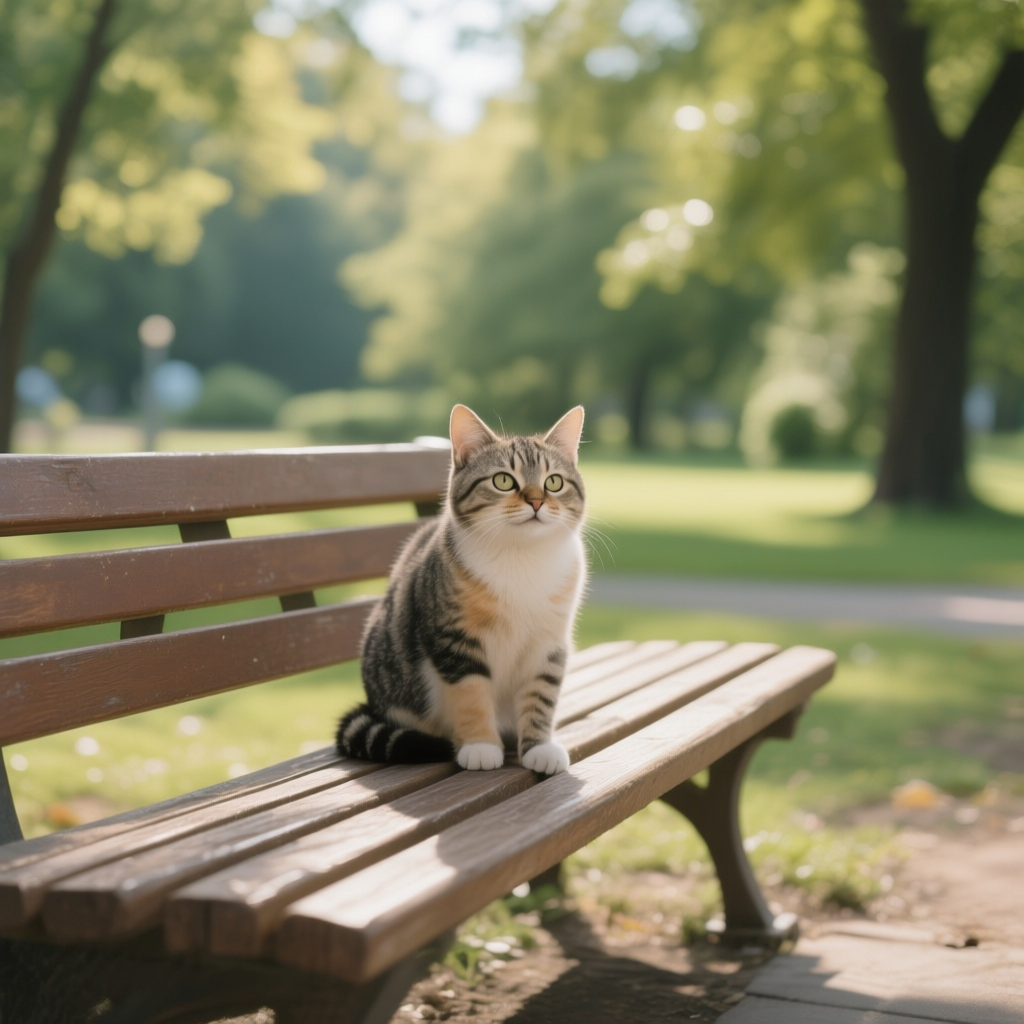
| 01 | a cute cat sitting on a wooden bench in a sunny park | 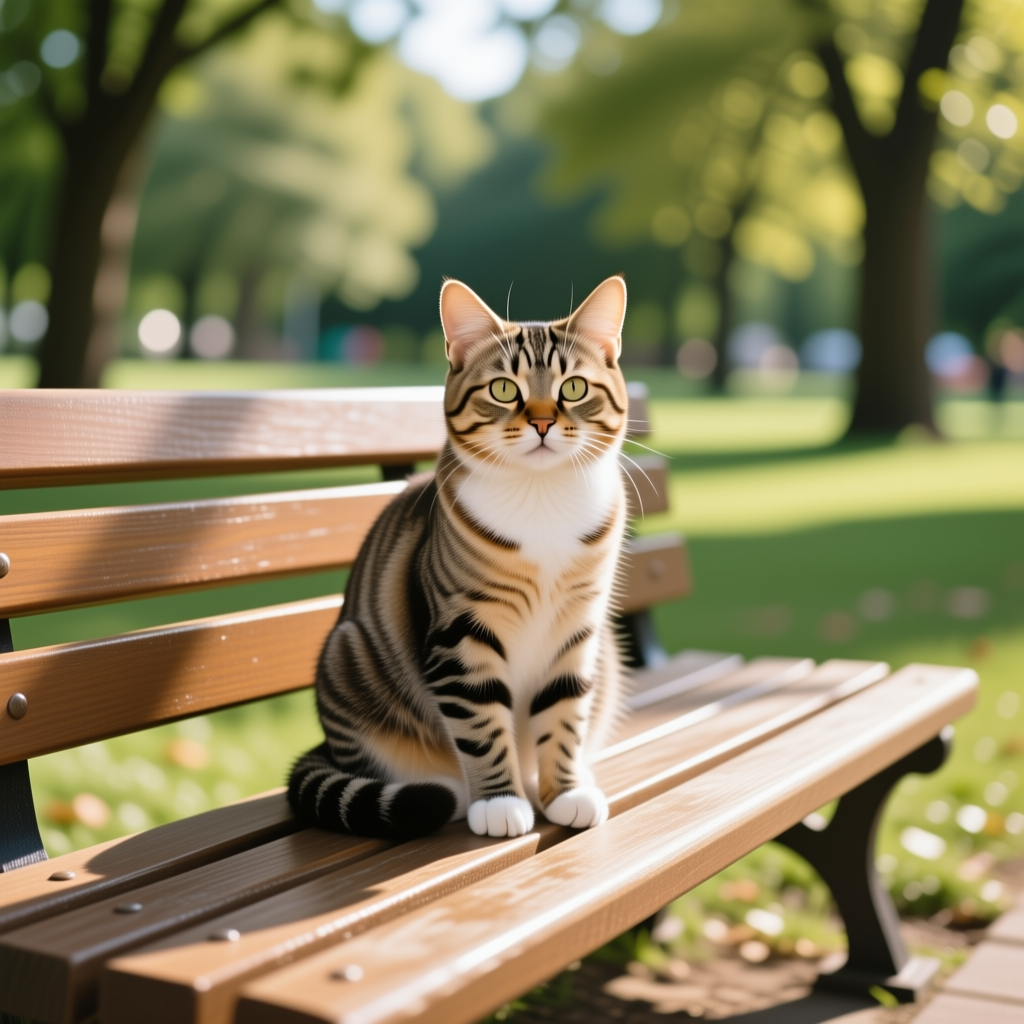 |
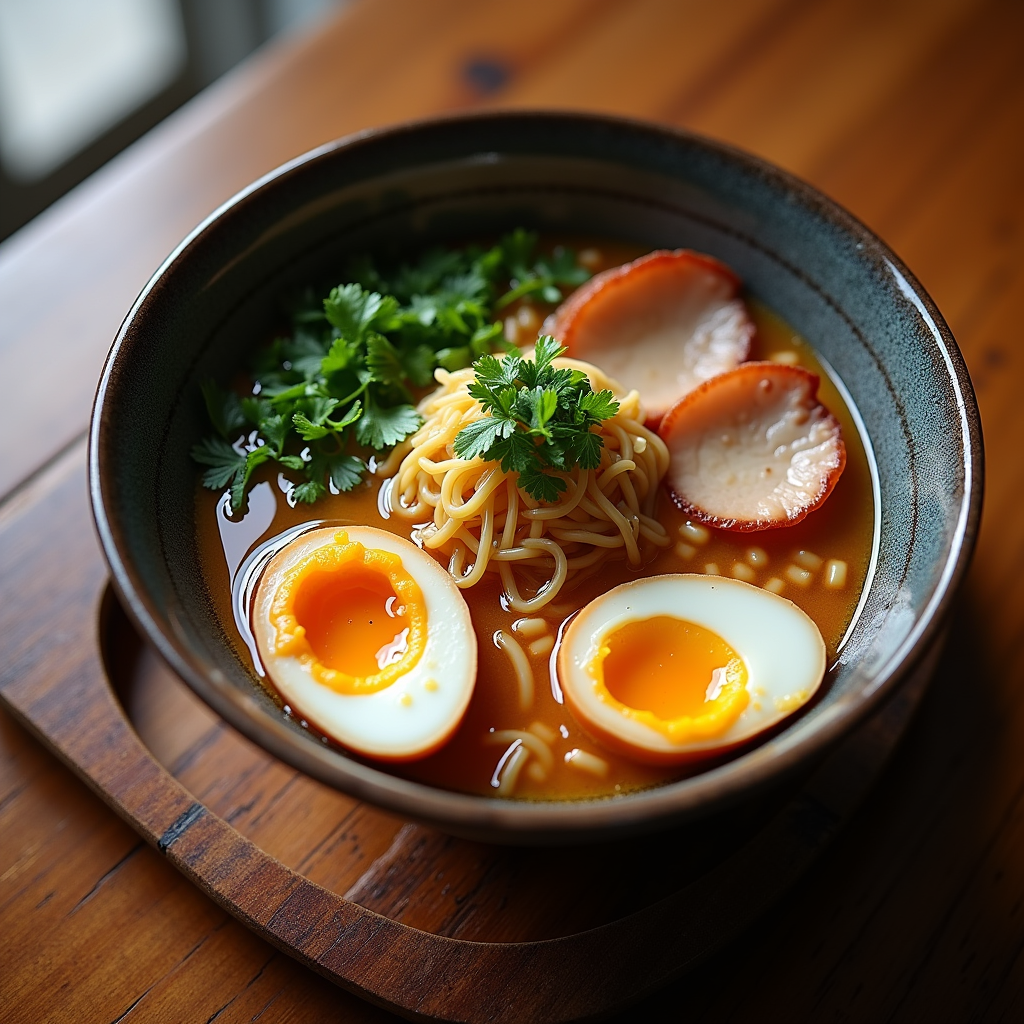
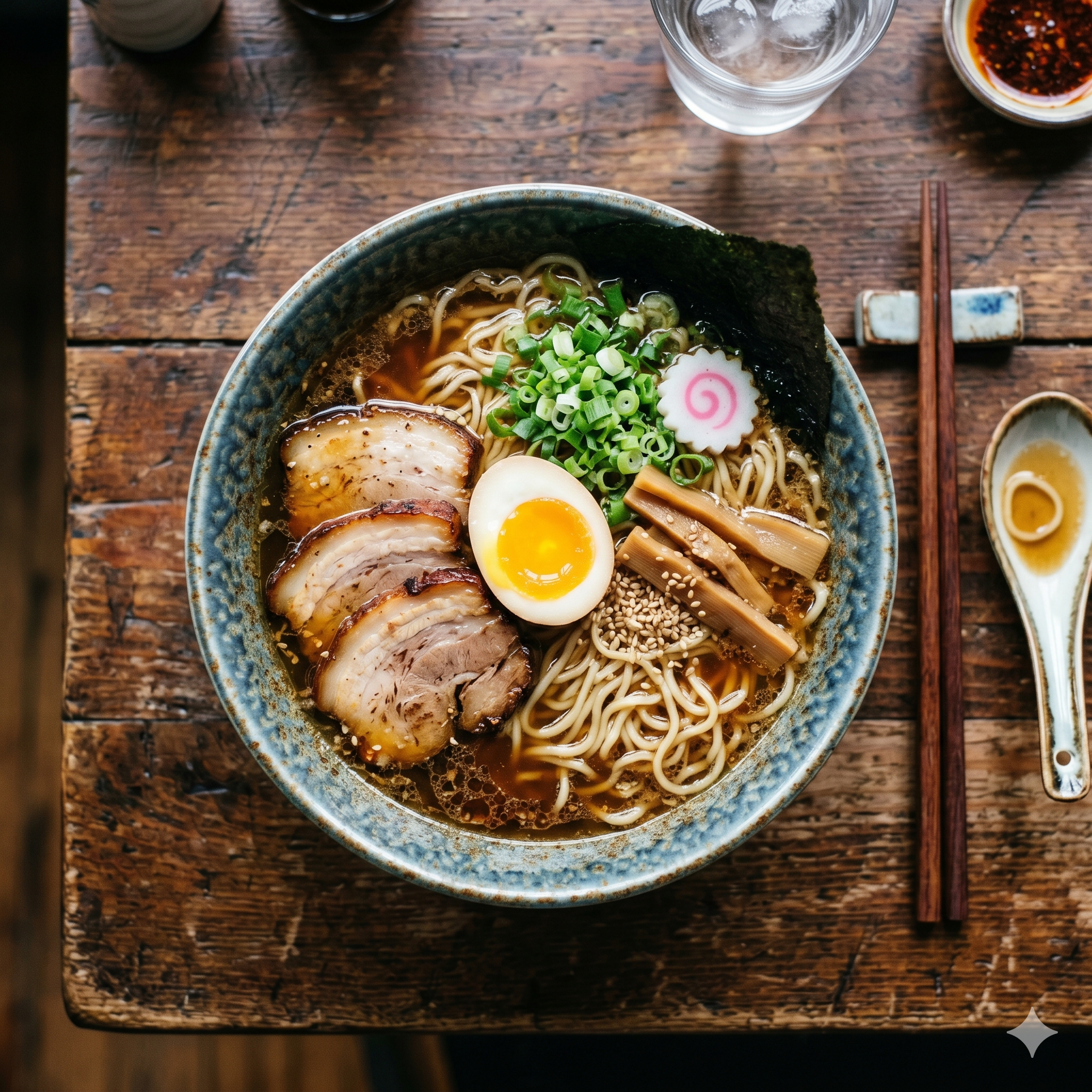
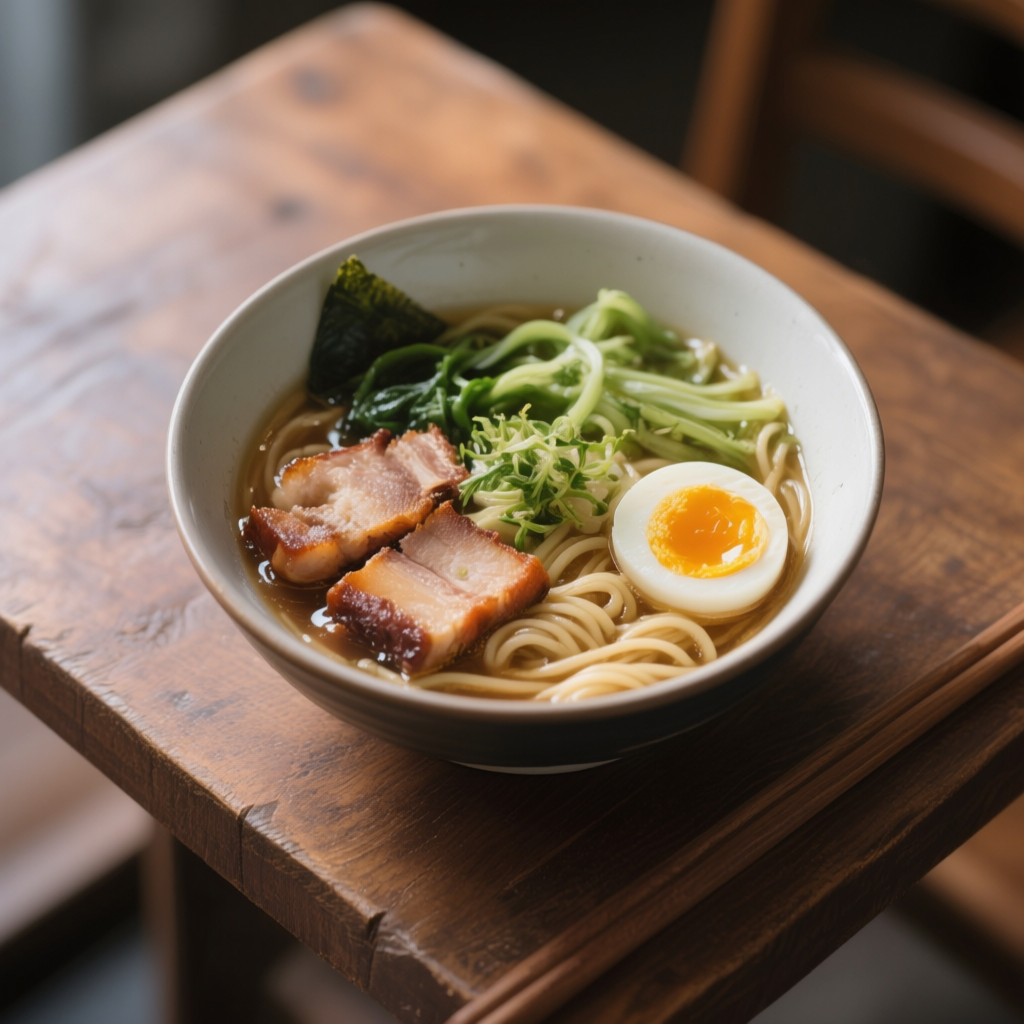
| 02 | a bowl of ramen with chashu and soft-boiled egg | 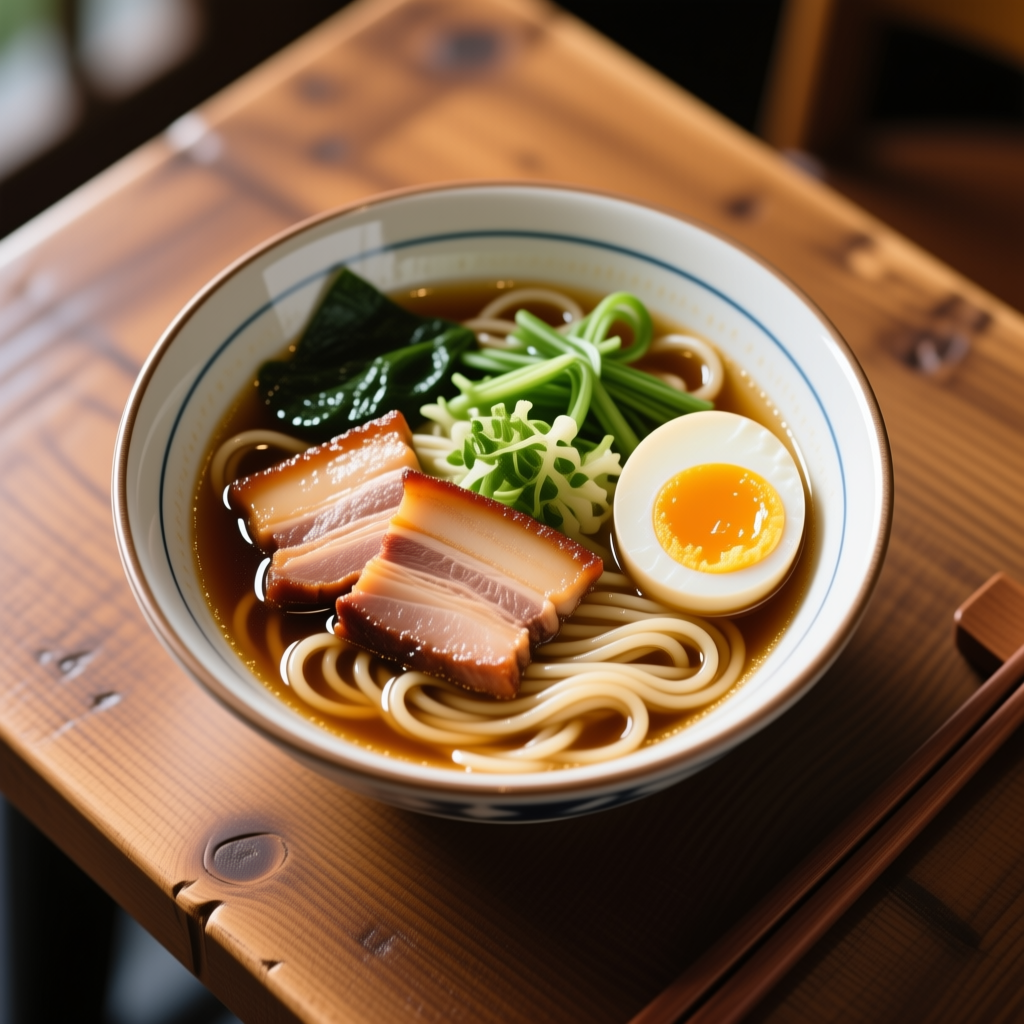 |
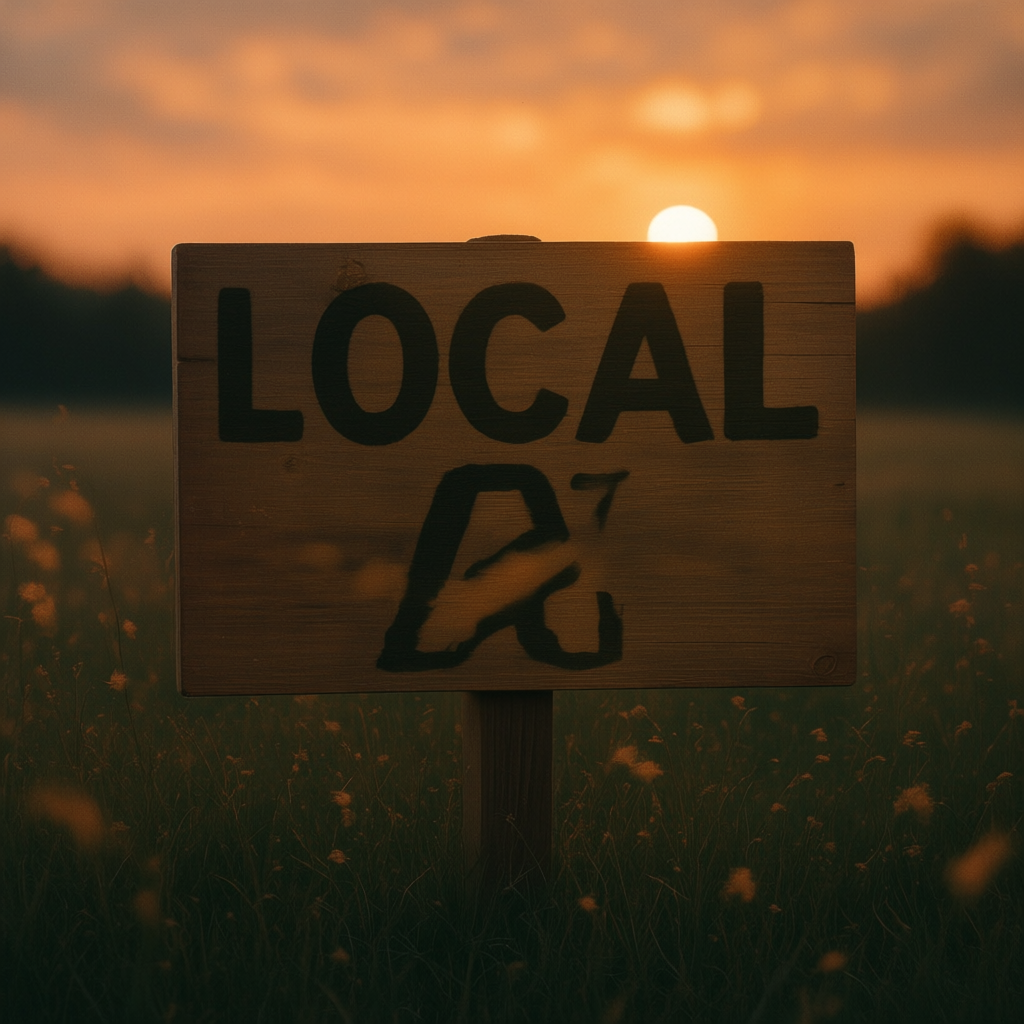
| 03 | a wooden sign with "LOCAL AI" | 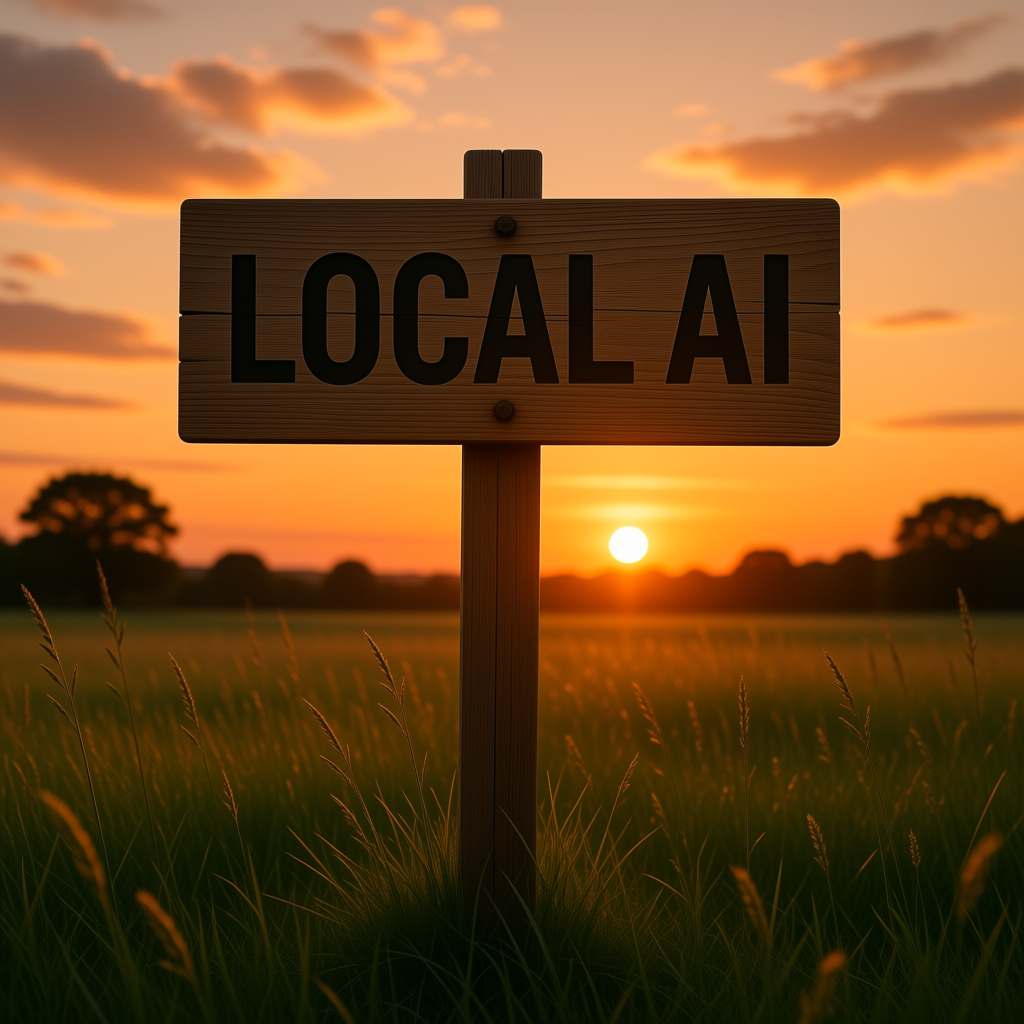 |
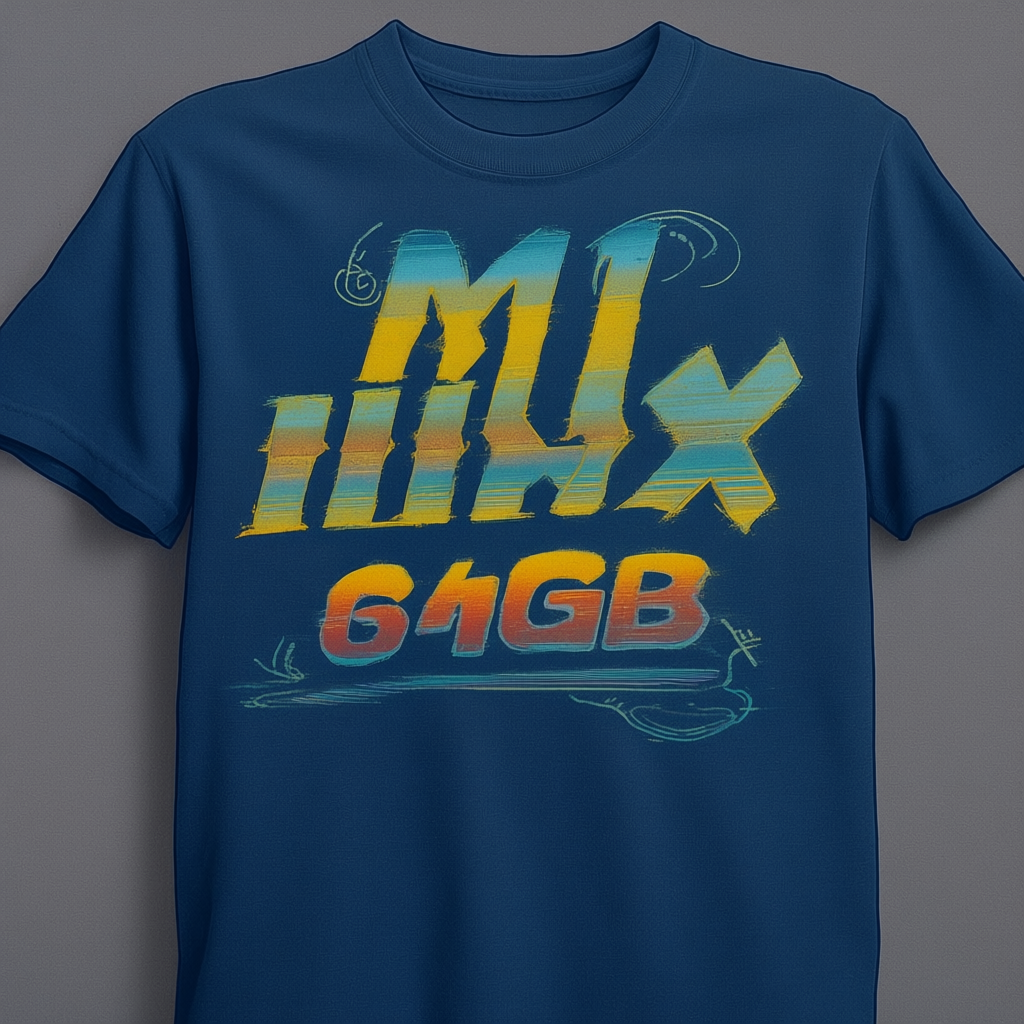
| 04 | a developer's t-shirt with "M1 MAX 64GB" retro 80s style | 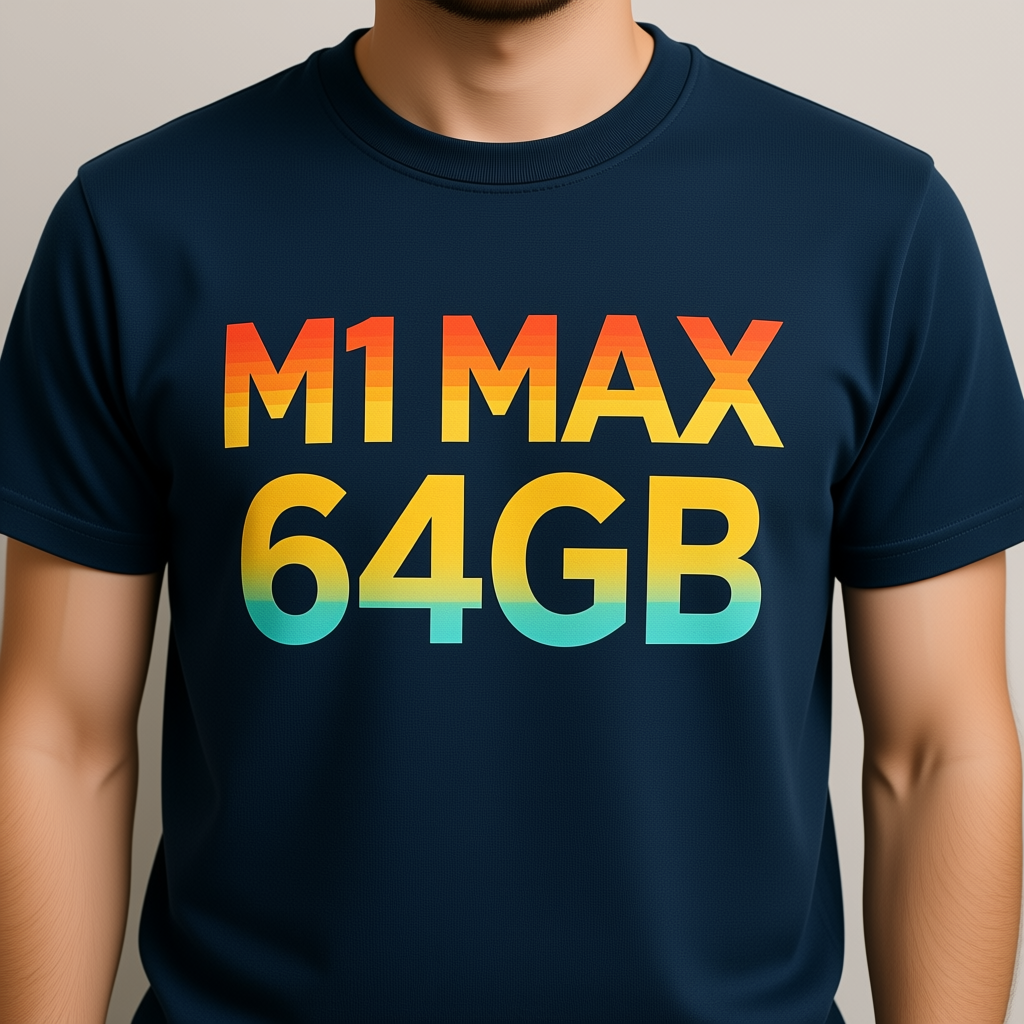 |
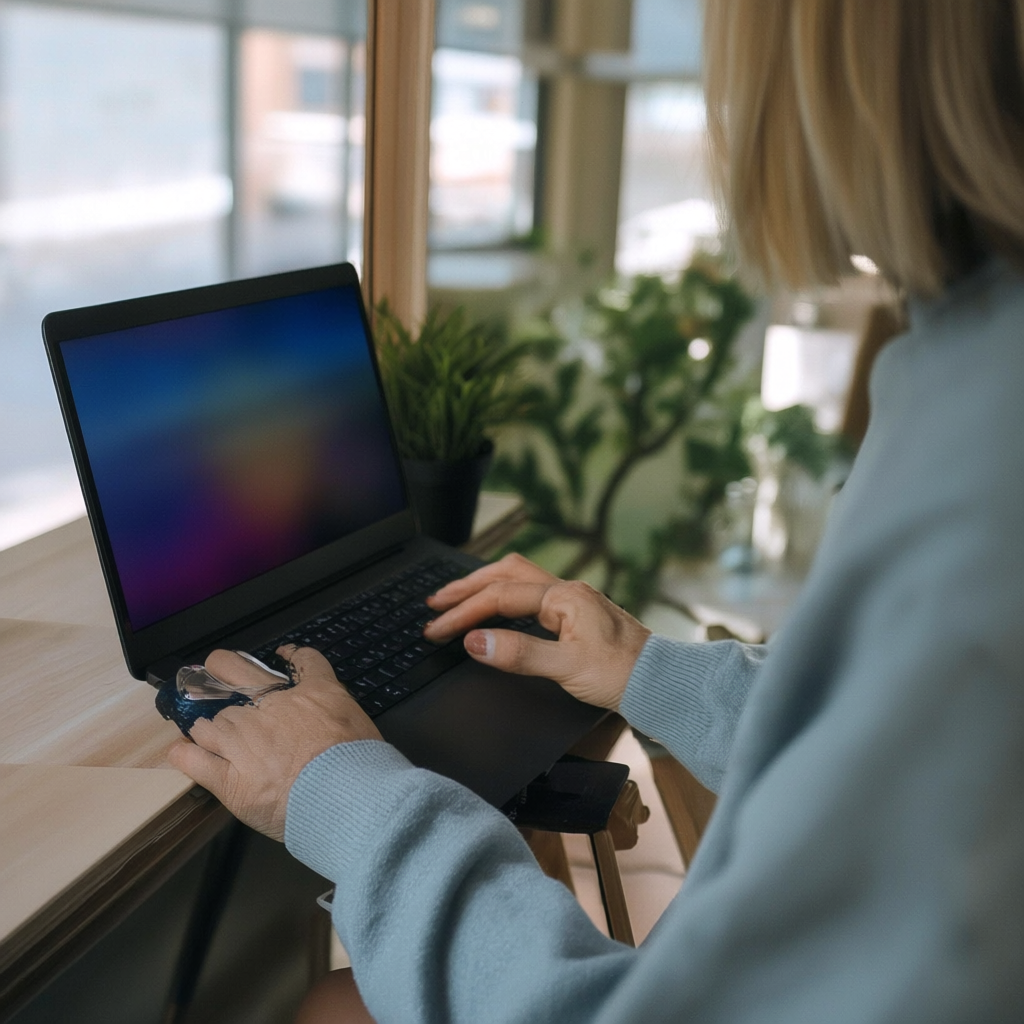
| 05 | a woman developer working at a laptop | 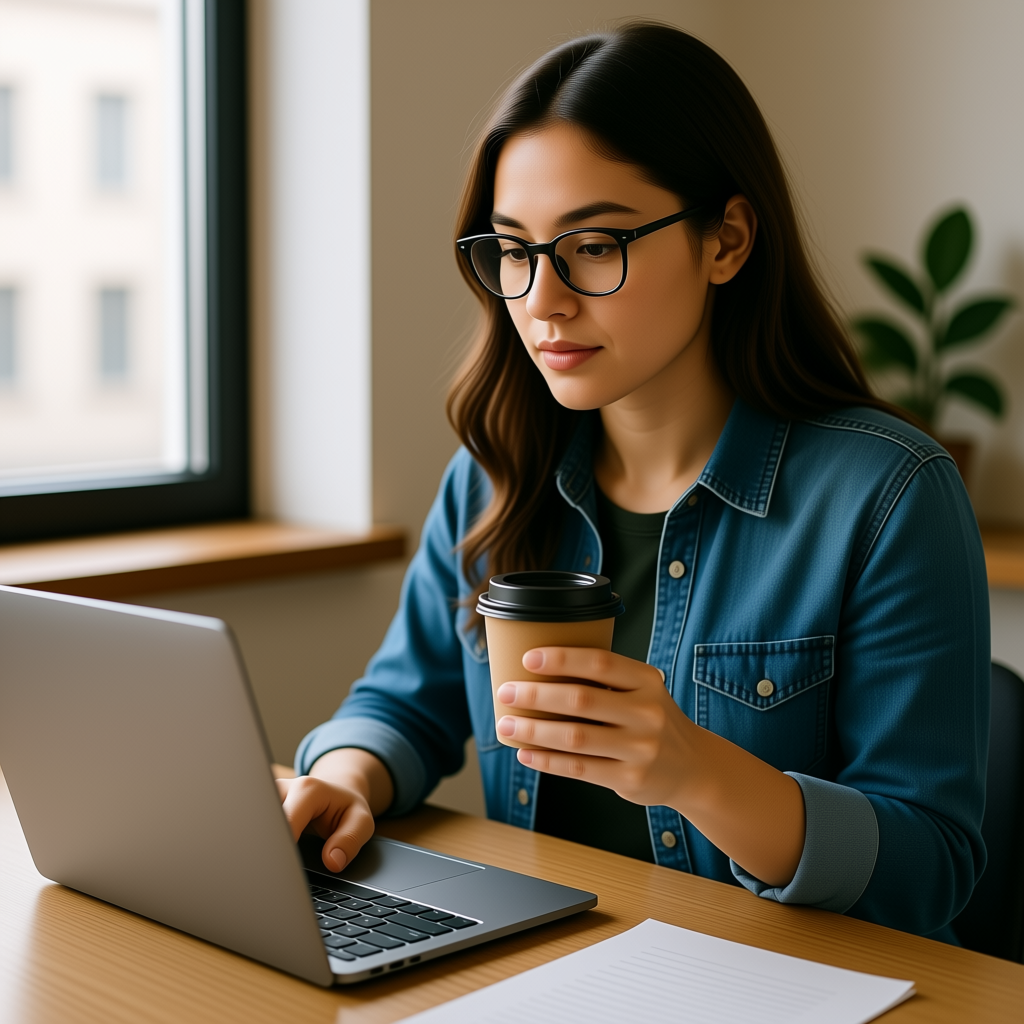 |
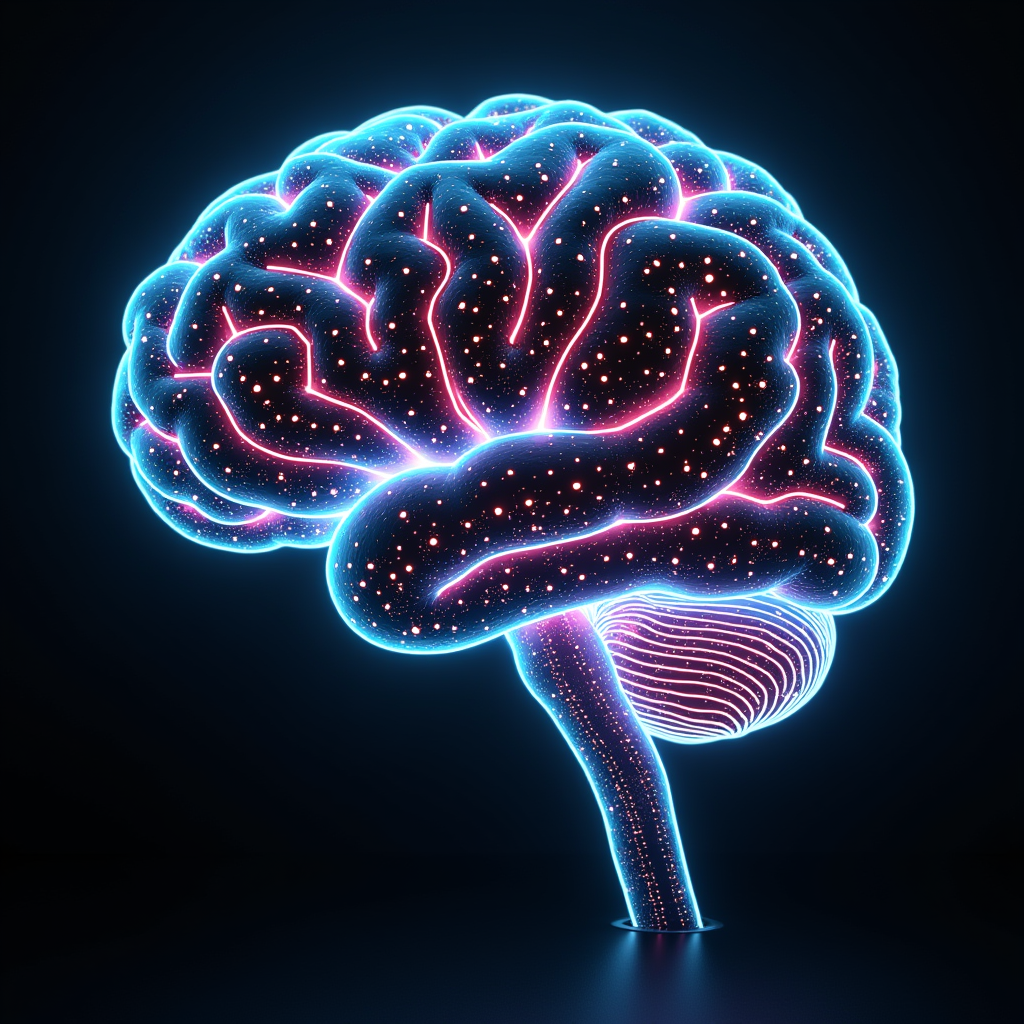
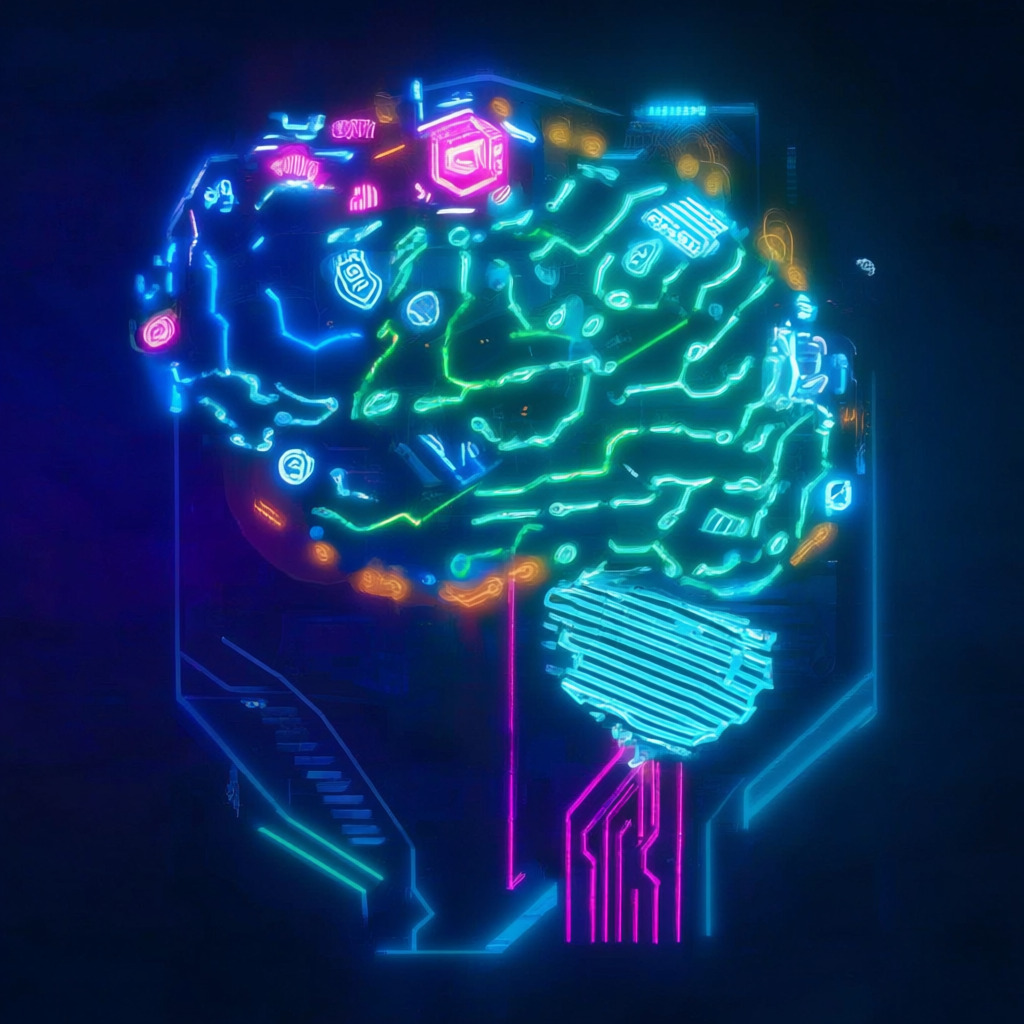
| 06 | a glowing AI brain made of circuits and neon |  |
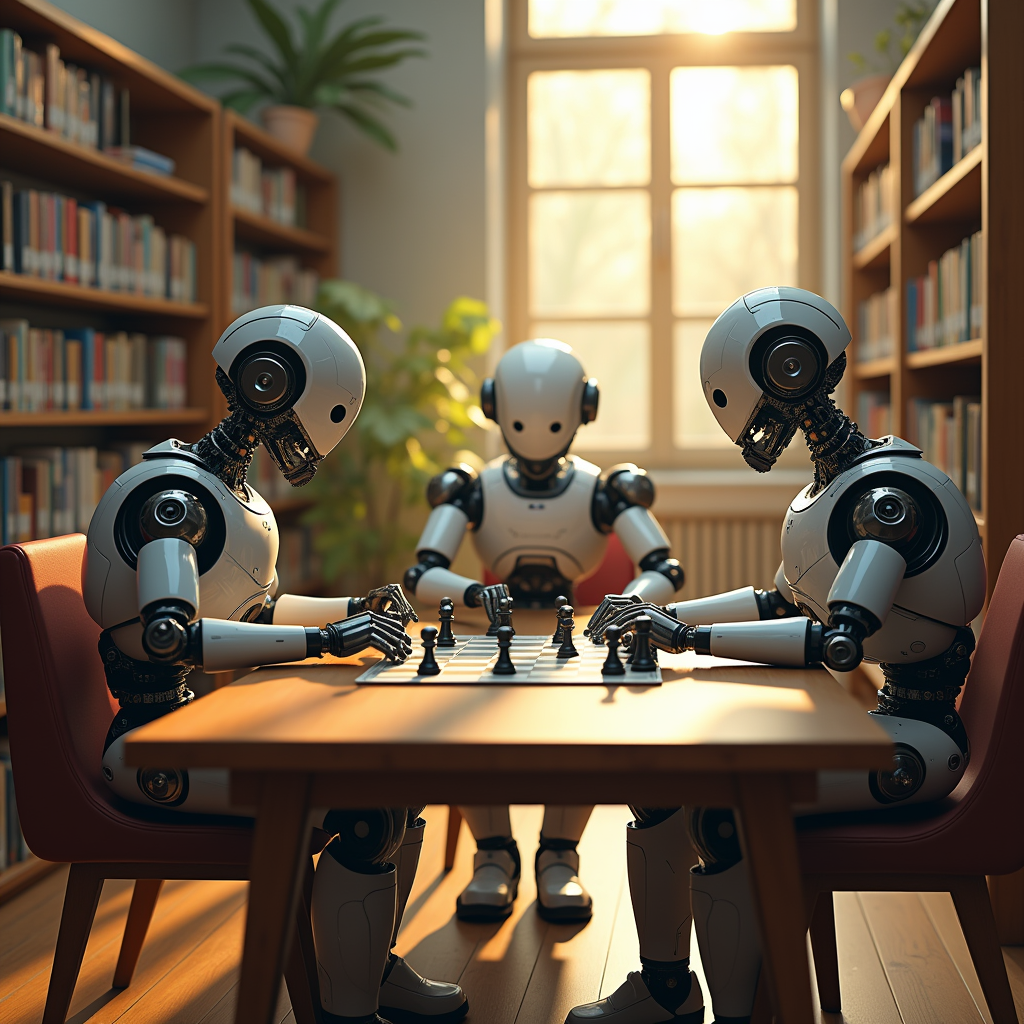
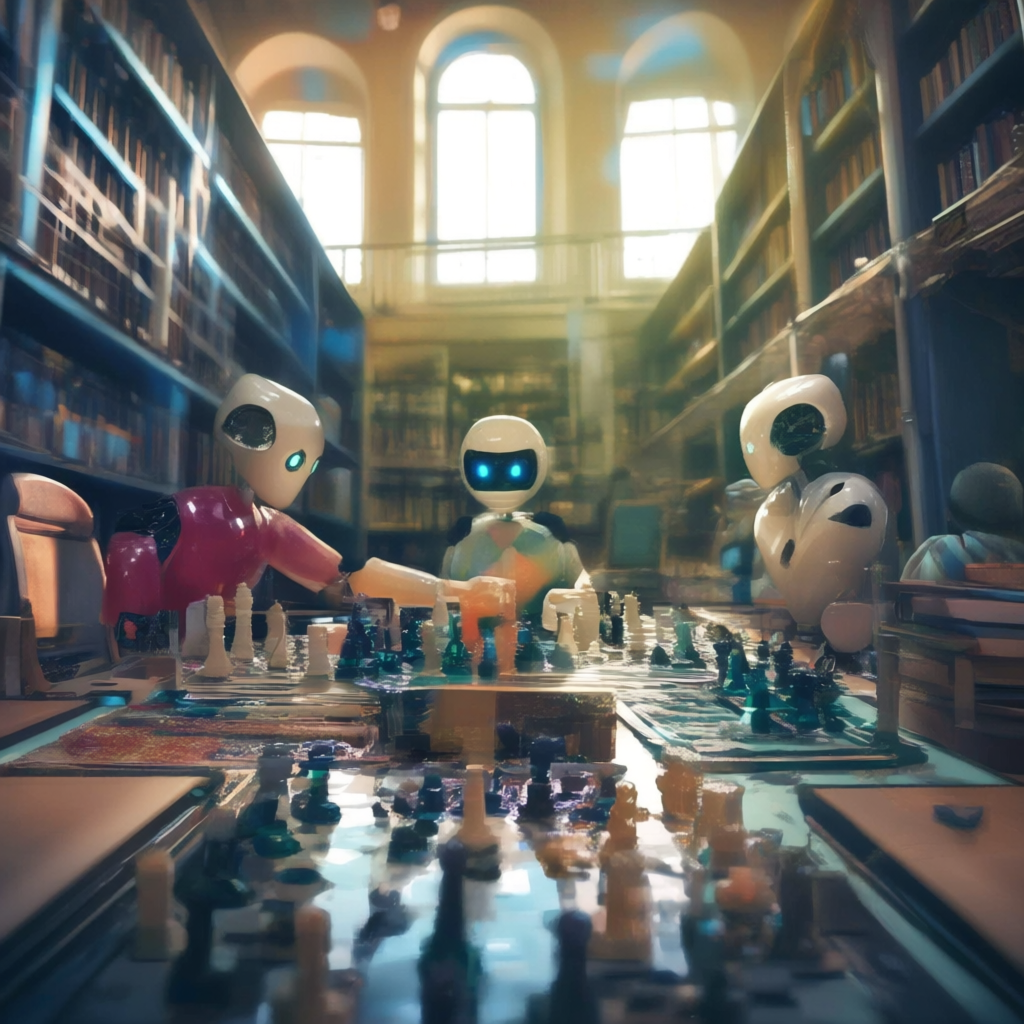
| 07 | three robots playing chess in a sunlit library | 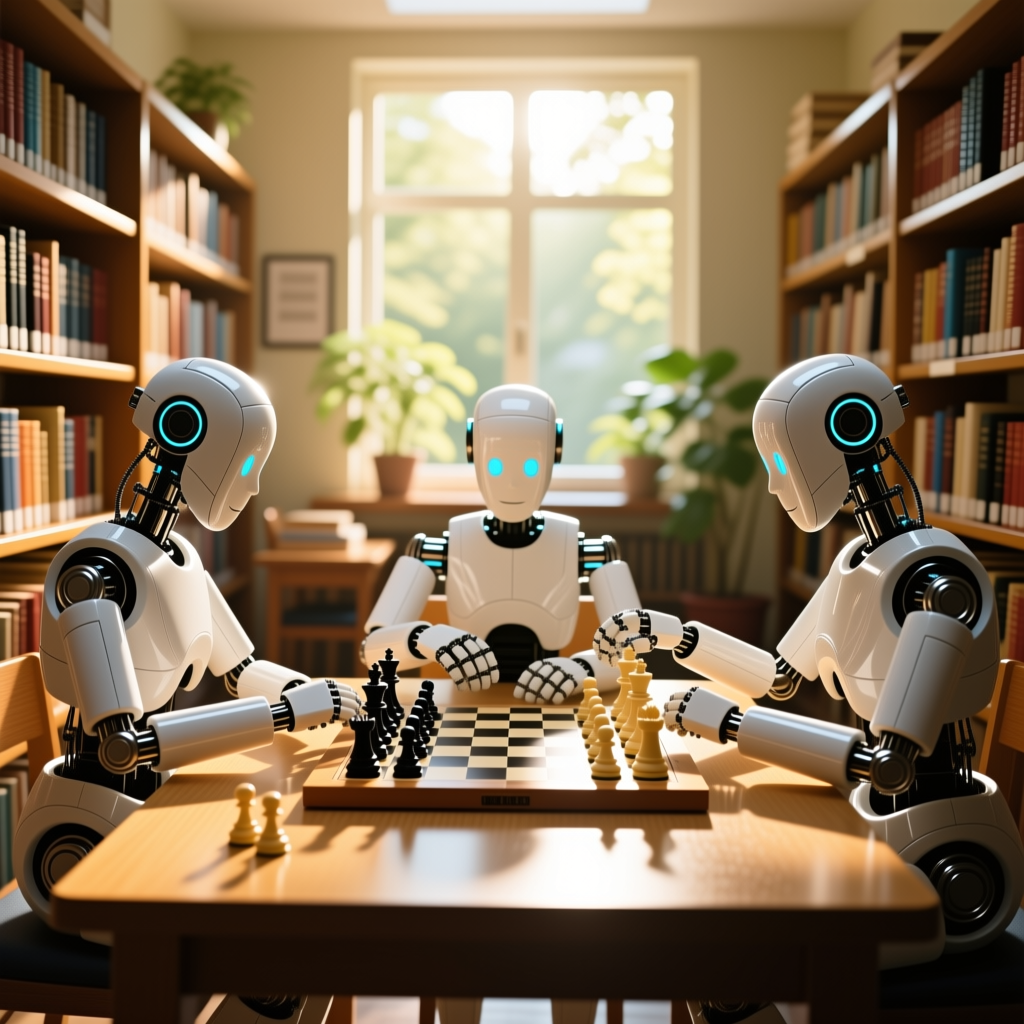 |
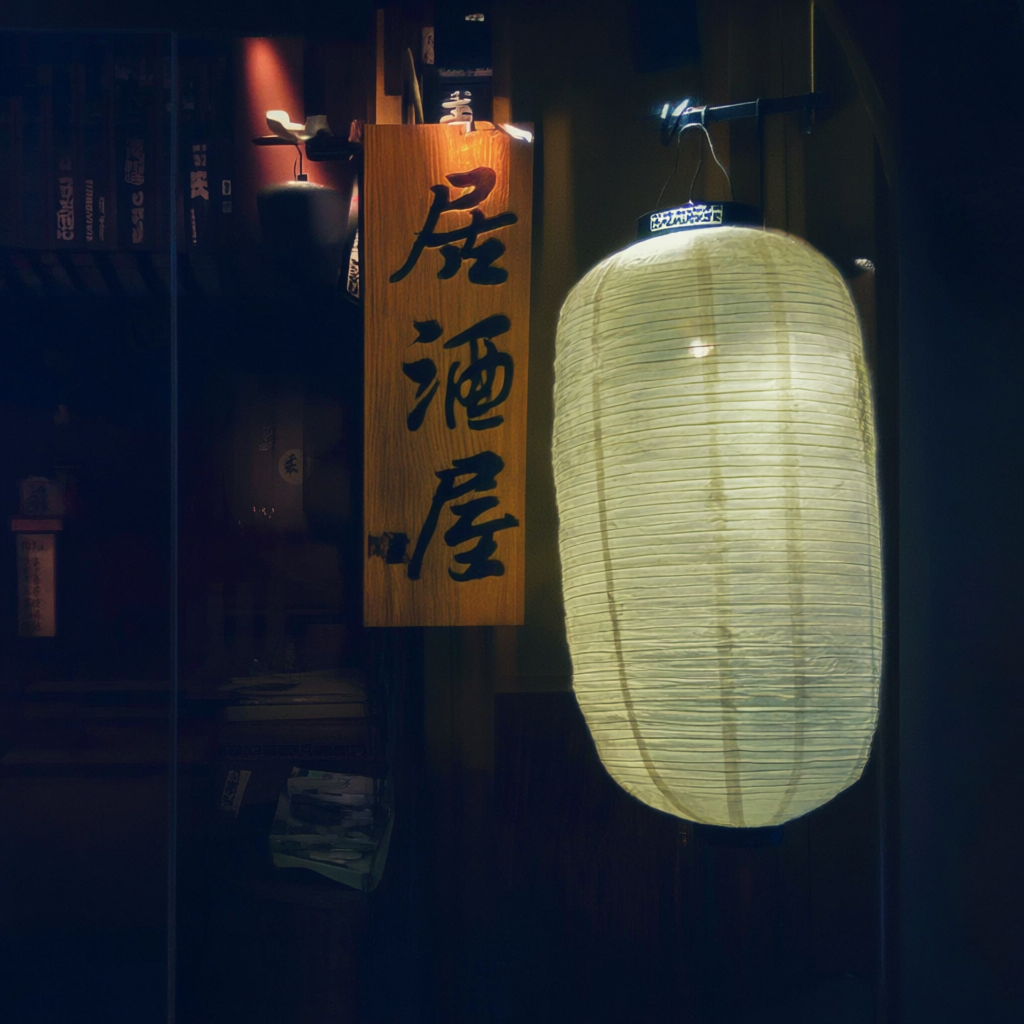
| 08 | a wooden izakaya sign with the kanji "居酒屋" | 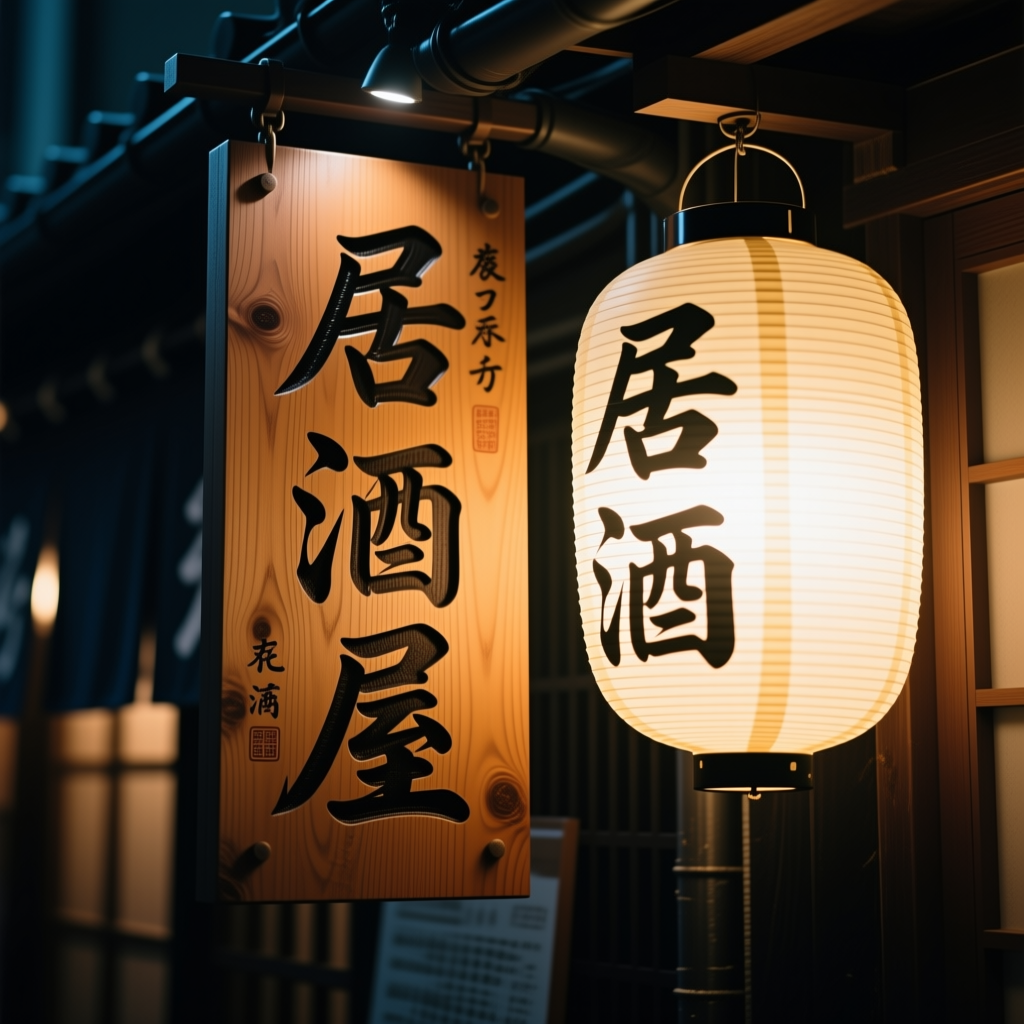 |
Total for 8 images: 80.8 min (vs Full's 12 hours).
Per-prompt evaluation
01 Cat — top photorealism in local
Cat on a bench. Lighting, fur, background bokeh — all natural. Quality where you wouldn't blink as a stock photo (with a slight illustration feel still).
Contrast with Flux dev, which drifts to anime style on the same prompt. Flux dev has a "pretty / anime" tic even on photorealistic prompts; Qwen Lightning, while keeping a slight illustration feel, passes as photorealistic when viewed at distance.
| Flux dev (2024) | Qwen Full (2025) | Qwen Lightning (2025) |
|---|---|---|
 |
 |
|
| Drifts to anime / illustration | Photorealistic, fur present | Mostly photorealistic, slight illustration feel on close inspection. Could fix with a different prompt |
02 Ramen — no cilantro, only the mystery green vegetable is regrettable
Chashu, egg, nori, clean composition. Fully avoids Flux dev's cilantro problem.
But a mystery green vegetable (spinach? leafy greens?) is on top. Off for Japanese ramen. Possibly Alibaba's training data mixed in "Chinese-style hot noodle soup."
| Flux dev (2024) | Gemini (2025) | Qwen Full (2025) | Qwen Lightning (2025) |
|---|---|---|---|
 |
 |
 |
|
| Cilantro inside (SE Asian crossover) | Naruto (pink swirl fish cake) / menma (fermented bamboo) / side dishes — full "ramen shop photo" | No cilantro ✓ clean | Just the mystery green vegetable, otherwise perfect |
03 LOCAL AI — Full's fudge disappears, perfect
All "LOCAL AI" letters come out clearly readable. Wooden sign, sunset meadow, depth of field — all natural.
This is a major improvement over Full. Full had the tic of dropping the "I" of "AI" and fudging it into a logo, but Lightning erases that tic.
| Qwen Full (2025) | Qwen Lightning (2025) |
|---|---|
 |
|
| Drops "I" of "AI", fudges | "LOCAL AI" perfect, Full's tic is gone |
This was unexpected. Distillations usually "trade quality for speed," and text rendering is one of the first sacrifices. In Lightning it's the opposite. Best explanation: the 8-step-optimized LoRA is pulling the base model's text rendering capability through.
04 M1 MAX 64GB t-shirt — fudge gone here too
"M1 MAX 64GB" rendered as a clean rainbow gradient on a navy t-shirt. The 3 letters "MAX" don't warp either — Full had the tic of warping "MAX," and Lightning erased it.
| Qwen Full (2025) | Qwen Lightning (2025) |
|---|---|
 |
|
| T-shirt perfect, "MAX" warped | "M1 MAX 64GB" all perfect |
Combined with 03, this confirms: "Qwen family text-fudging is Full-specific; Lightning doesn't manifest it." Another core finding of this article. Call it the "over-step fudge phenomenon" if you want.
05 Woman developer — major improvement over Full, decisive Full-vs-Lightning gap
Full had the PC floating in the air with unnatural left-hand fingers. Lightning fixes:
- 5 fingers, properly placed
- PC actually sitting on the desk
- Hand-mug positioning natural
- Slight back-view composition with clean aspect
| Qwen Full (2025) | Qwen Lightning (2025) |
|---|---|
 |
|
| PC floating, fingers off | Fingers OK, PC placed OK, natural composition |
What broke at 50 steps stabilized at 8. This is the heart of this article.
06 AI brain — not bad, improved from Full
Neon circuit brain, cyan / magenta palette, depth of field, cyberpunk vibe properly assembled. The letters "AI" embedded as part of the circuit centerpiece — natural addition.
Resolution and color contrast improved over Full. Loses to Flux dev on resolution feel for the same prompt, but enters practical territory as abstract art.
| Flux dev (2024) | Qwen Full (2025) | Qwen Lightning (2025) |
|---|---|---|
 |
 |
|
| Particles, light streaks, overwhelming resolution (top of local) | Detail thin | Improved over Full, practical, "AI" letters natural too |
07 Robots and chess — composition OK, expressions a bit immature
Three robots in a library playing chess. Lighting, bookshelves, chess board — all OK. Robot expressions read slightly cartoonish; loses on photorealism to Flux dev / Gemini.
| Flux dev (2024) | Qwen Full (2025) | Qwen Lightning (2025) |
|---|---|---|
 |
 |
|
| Count OK, expression / hand / chess piece detail rich | Count OK, expressions cartoonish | Count OK, expressions slightly improved |
→ Count specification works on both Qwen and Flux families. SD 3.5 reduces it to 2 (see v4; SDXL base could draw 3) — both Qwen Lightning and Flux dev clear it without breaking. Photorealism of expression is where Flux dev pulls ahead.
08 Izakaya — major improvement from Full, only local model that combines kanji + atmosphere
Full could write the kanji but the storefront was thin, while in Lightning:
- "居酒屋" 3 characters, vertical, perfect
- Lantern texture, warm lighting
- Wooden storefront, Japanese alley vibe
- Brushed-ink feel on the sign
| Qwen Full (2025) | Qwen Lightning (2025) |
|---|---|
 |
|
| Kanji OK but storefront thin | Kanji + storefront + warm light all perfect |
Lightning is the only local model that combines "居酒屋" + atmosphere. SD family produces fakes, Flux dev produces fake "典桔," Full's atmosphere is weak.
What worked
- Avoids the over-step collapse: 50 → 8 steps actually improves quality on some prompts (woman developer, izakaya)
- 9× faster: 10 min/image is practical. 8 images in 80 min — a comparison set during lunch break
- Kanji + Asian food culture: only local model that produces images Japanese readers don't find odd
- Apache 2.0: commercial OK; license honor student alongside Flux schnell
- Same base model as Full: if you already have Full's weights, just add the LoRA
What didn't
- 40GB base model first download: HuggingFace pull takes 30 min – 1 hr on fiber
- Mystery green vegetable: shows up on every ramen. "Chinese-style hot noodle" training bias (same in Full)
- Slightly behind Flux dev on abstract art: AI brain is practical, but resolution / particle sparkle wins for Flux dev
- Forgetting
true_cfg_scale=1.0kills it: leaving Full's 4.0 defeats Lightning's purpose
Where this model earns its keep
Bottom line: best Asian-circle model. The "Asian-circle = Qwen Lightning" half of this article's adoption plan. Lightning is not a degraded version of Full — it's the completed version with Full's tics removed.
- ✅ Asian-circle article illustrations: Japanese blogs, Asian food blogs, Japanese architecture explainers — only practical local option
- ✅ Sign / signage with kanji: only Qwen family writes "居酒屋" perfectly on local
- ✅ Accurate Asian food culture depiction: no cilantro ramen (avoids Flux family's bias)
- ✅ Designs containing important English text: "LOCAL AI" / "M1 MAX 64GB" all readable, Full's fudge tic disappears in Lightning, on par with Flux dev quality
- ✅ Stock-photo-style developer scenes: 5 fingers, PC placed OK; not as polished as Gemini, but passes as "clean material"
- ✅ Apache 2.0, commercial OK: clearly above Flux schnell in the same commercial-OK slot (writes kanji)
- ⚠️ 40GB base model: tight on Mac M1 Max 64GB / wired_limit 60GB. NVIDIA recommends 80GB-class
- ⚠️ Abstract art / cyberpunk: practical even on Lightning, but for resolution priority go to Flux dev
- ❌ Conversational editing: "make this red" doesn't work (need a different model, Qwen-Image-Edit)
Gotchas / tips
1. LOAD FAILED without peft
!! LOAD FAILED: PEFT backend is required for this method.
Run pip install peft before calling load_lora_weights(). Diffusers alone can't apply LoRA. My first attempt died at 1.3 min because of this.
2. Don't forget true_cfg_scale=1.0
Lightning is designed to run without CFG. Leaving it at Full's 4.0 produces images, but loses Lightning-style stability. The point of the LoRA is gone.
3. Only the first image is slow
| # | Prompt | Sec |
|---|---|---|
| 01 | cat | 326.8 |
| 02 | ramen | 327.0 |
| 03 | LOCAL AI (text-heavy) | 606.8 |
| 04 | M1 MAX (text-heavy) | 800.8 |
| 05 | woman dev | 483.5 |
| 06 | AI brain | 712.7 |
| 07 | robots chess | 654.0 |
| 08 | izakaya | 763.5 |
Text-heavy prompts (03, 04) are 2× heavier than the rest. Likely the attention layers spend more time resolving text coordinates.
4. Output stops if macOS sleeps
If the Mac sleeps mid-generation, MPS dies. Use caffeinate -i to prevent sleep:
caffeinate -i ./venv/bin/python compare.py qwen_image_lightning
5. Full and Lightning coexist
Same 40GB base model — disk-wise, Full + Lightning is still 40GB. Just add the tens-of-MB LoRA.
Comparison article and next models
Related articles in this series:
- v6 Flux.1 [dev] — Top photorealism for local, but with an English-native bias
- v7 Qwen-Image Full — The only local model that writes kanji, but 93 minutes per image
- v9 Gemini 2.5 Flash Image — Why cloud is in a different league
Next (planned):
- Part 3: AI drawing different national cuisines — visualizing geographic bias in training data (draft)
Test environment: Mac M1 Max 64GB / macOS 25.4 / Python 3.14 / Diffusers 0.37.1 / peft 0.19.1 / PyTorch 2.11 (MPS) Run log: 2026-04-30, Qwen-Image Lightning (lightx2v/Qwen-Image-Lightning, 8steps V1.0)