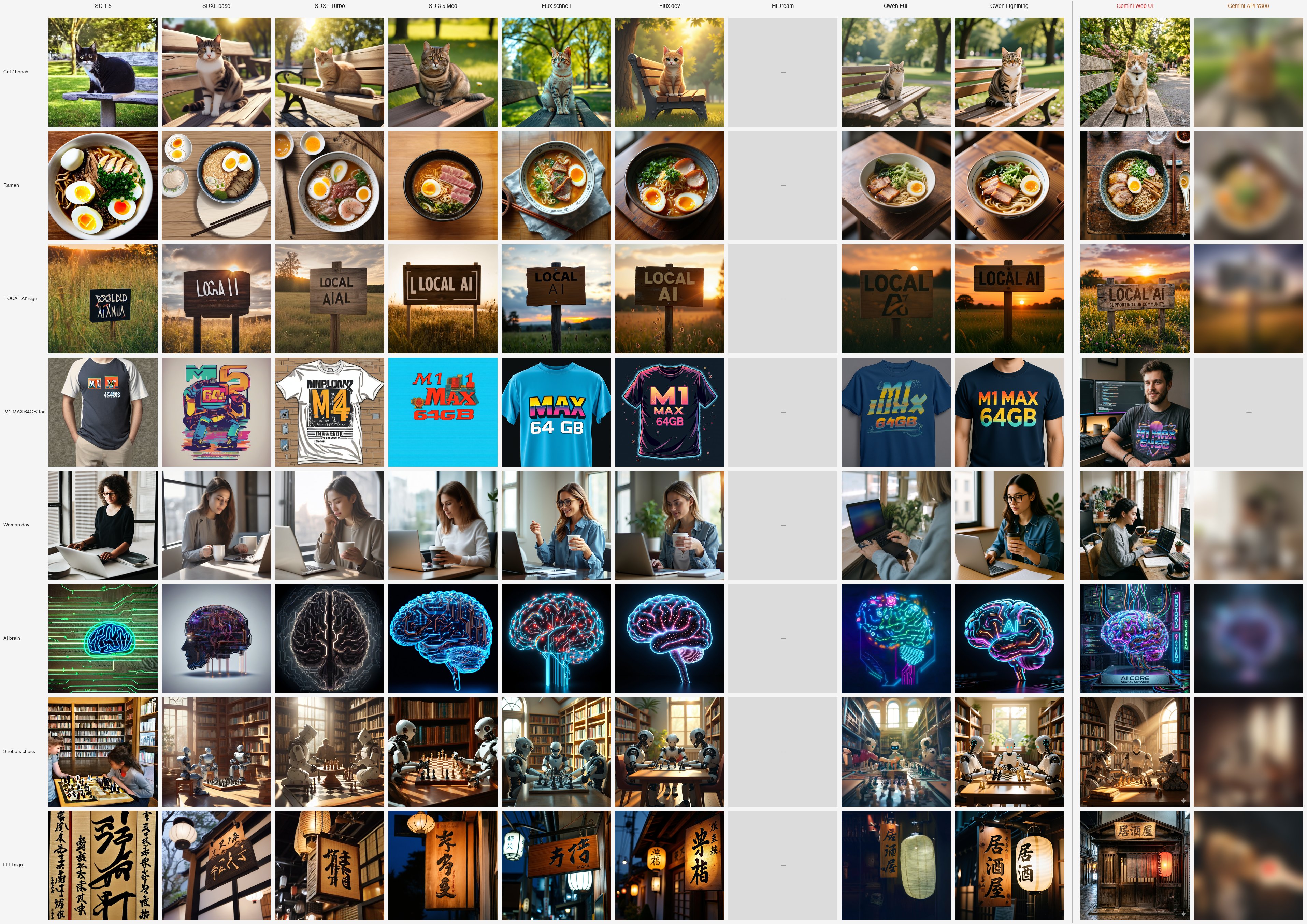
This article is a spinoff of Local image generation on Mac: 10 models compared, my top pick flipped. Per-model deep dive, v9. The "cloud representative" slot against the 8-model local lineup.
TL;DR
- Gemini 2.5 Flash Image (a.k.a. Nano Banana) is Google's cloud image generation API
- Running the same 8 prompts, a different league of quality vs the local lineup
- Kanji, cultural context, anatomy, style instruction, conversational editing — all perfect
- Designed to generate "text → entire scene" rather than "text → image"
- Weakness: fixed cost — API billing + cloud dependency. Toxic for indie devs who want zero-fixed-cost local-only setups
Why include this model
After running 10 local lineups, I needed exactly one cloud entry to show "how different is it on cloud?" The benchmark for the upper bound of the comparison.
Picked Google's Gemini 2.5 Flash Image (Nano Banana). Why:
- Imagen lineage: Google's research-track image model
- Multimodal design: not just text → image, but image + text → image (editing) in the same model
- Easy API access: usable from web with one account too
OpenAI's DALL·E 3 / Sora, Midjourney, and Anthropic's Claude (no image generation) were also candidates, but "Imagen lineage + conversational editing + free trial via web" decided it.
Environment setup
Unlike local, no pip install needed. This article evaluates images generated by pasting prompts into aistudio.google.com in Gemini 3.1 Pro mode, primarily.
- Sign in with Google account
- Pick Gemini Pro in model selection (image generation included)
- Paste prompt and Generate
- Generated images can be edited via further conversation
- Free tier exists (varies by model; image generation is paid / billing-linked)
The API (gemini-2.5-flash-image) generates too, but there's a systematic quality difference between Web UI and API.
[Paid article $3] Gemini API was supposed to be the best — Web UI beat it (v9b) Records of paying real money to test 8 prompts + conversational editing on the API. Systematic Web UI vs API quality difference, the 04 trademark guardrail, conversational editing limits, decisive kanji rendering differences. Required reading if you're about to pay for the Gemini API.
Hardware requirements: none (cloud processing). The Mac M1 Max 64GB fans don't spin. That's the biggest contrast.
| Item | Value |
|---|---|
| Local disk | 0GB |
| GPU memory | Not required |
| Per image | A few seconds (cloud processing time) |
| Billing | No additional charge with Google AI Pro plan ($19.99/month) etc. |
| Auth | Google account |
→ If you're already on a flat-rate Google AI Pro plan, Web UI access is no extra cost for the same quality this article demonstrates. All testing in this article went through Web UI (API billing structure is covered separately in the v9b paid article).
All 8 prompts
| # | Prompt | Image |
|---|---|---|
| 01 | a cute cat sitting on a wooden bench in a sunny park |  |
| 02 | a bowl of ramen with chashu and soft-boiled egg | 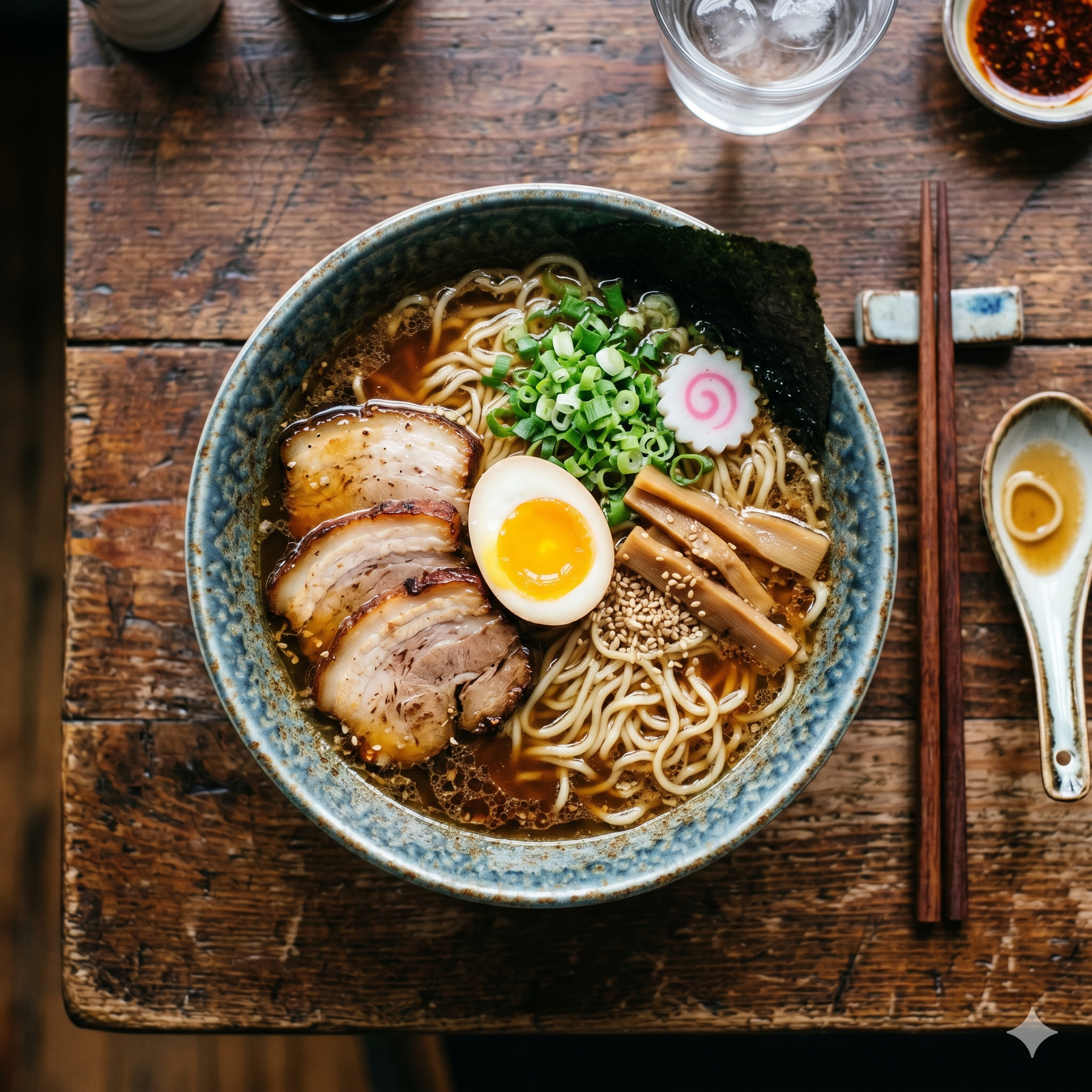 |
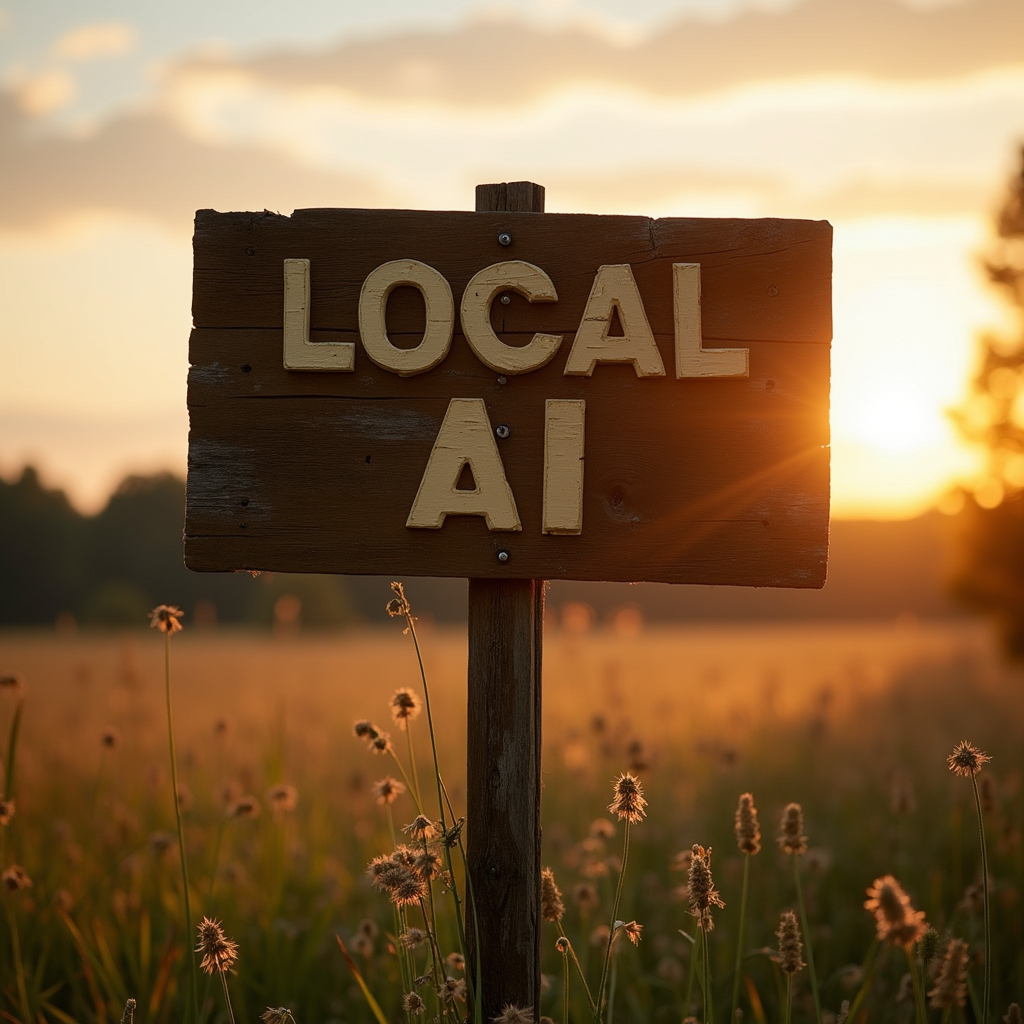
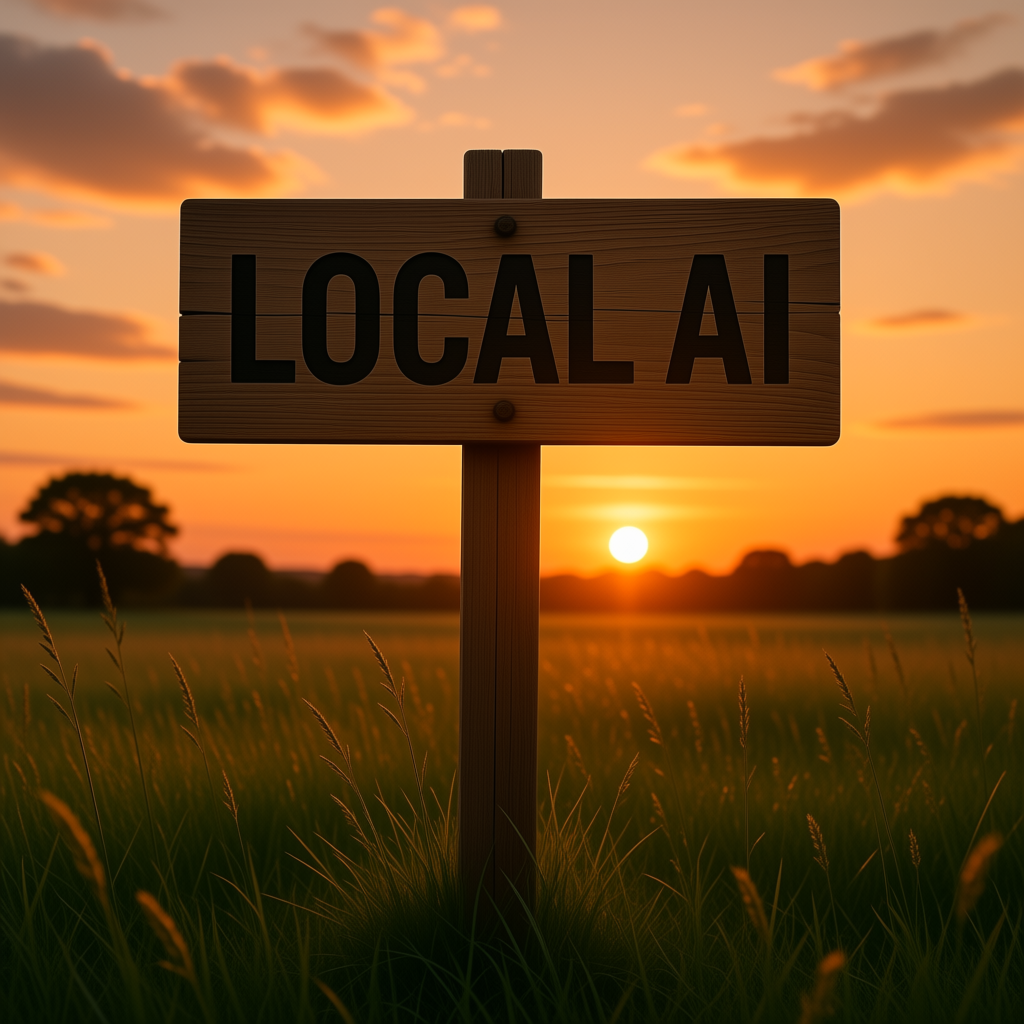
| 03 | a wooden sign with "LOCAL AI" | 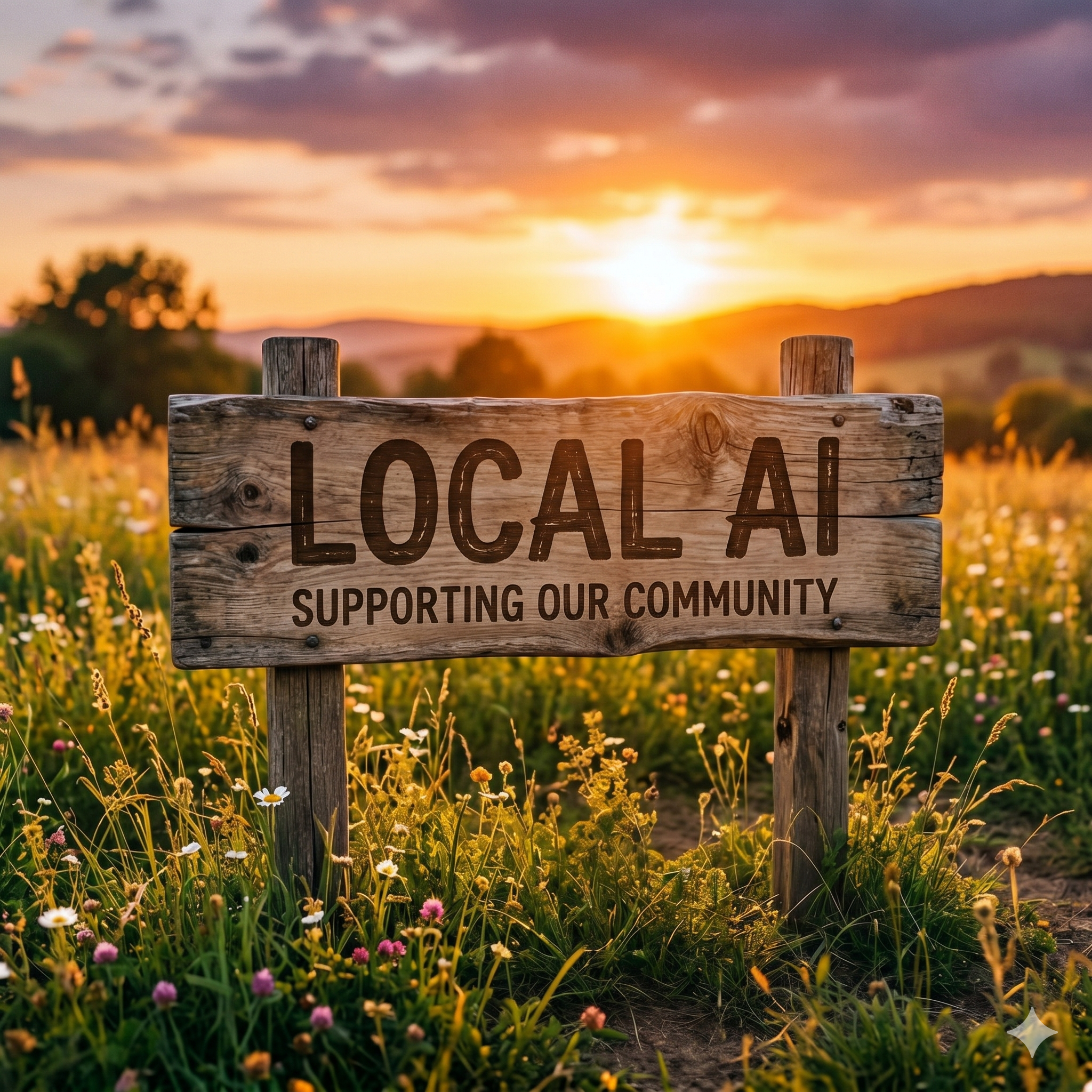 |
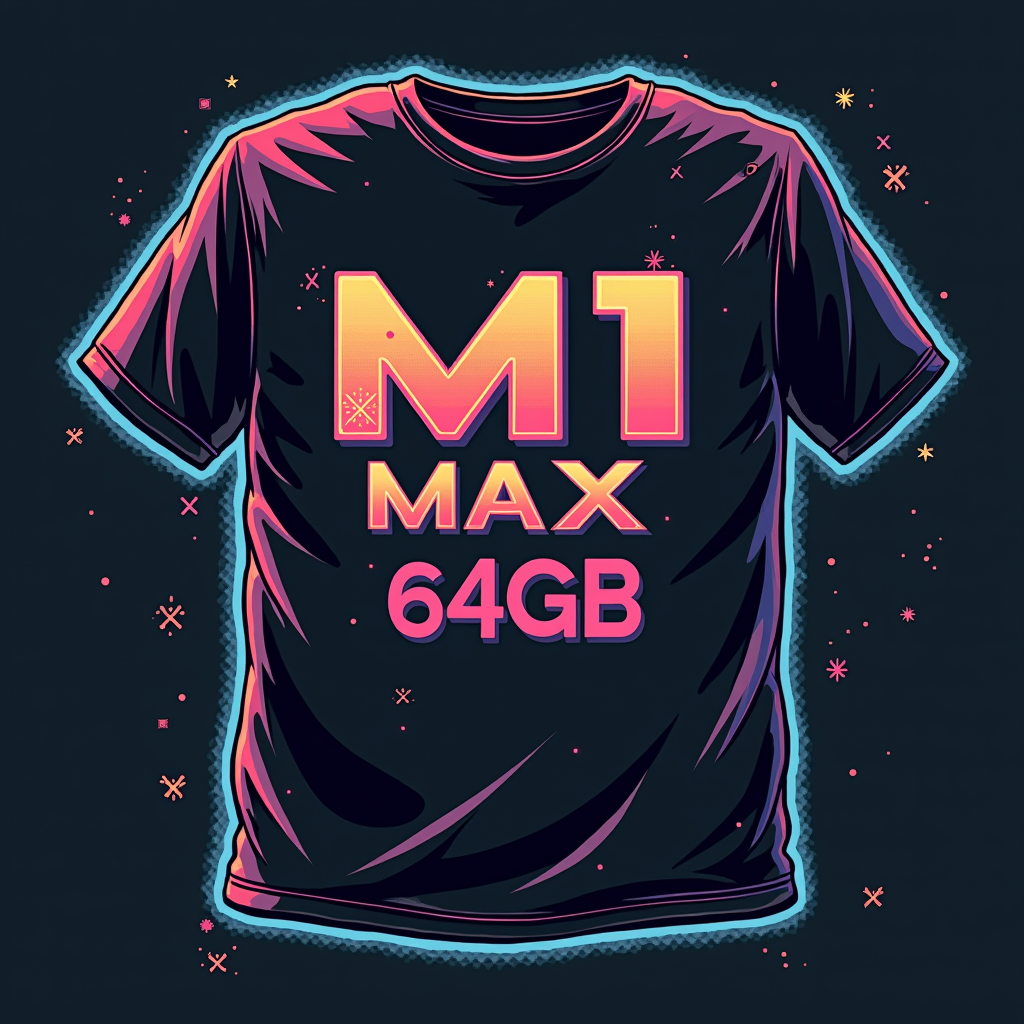
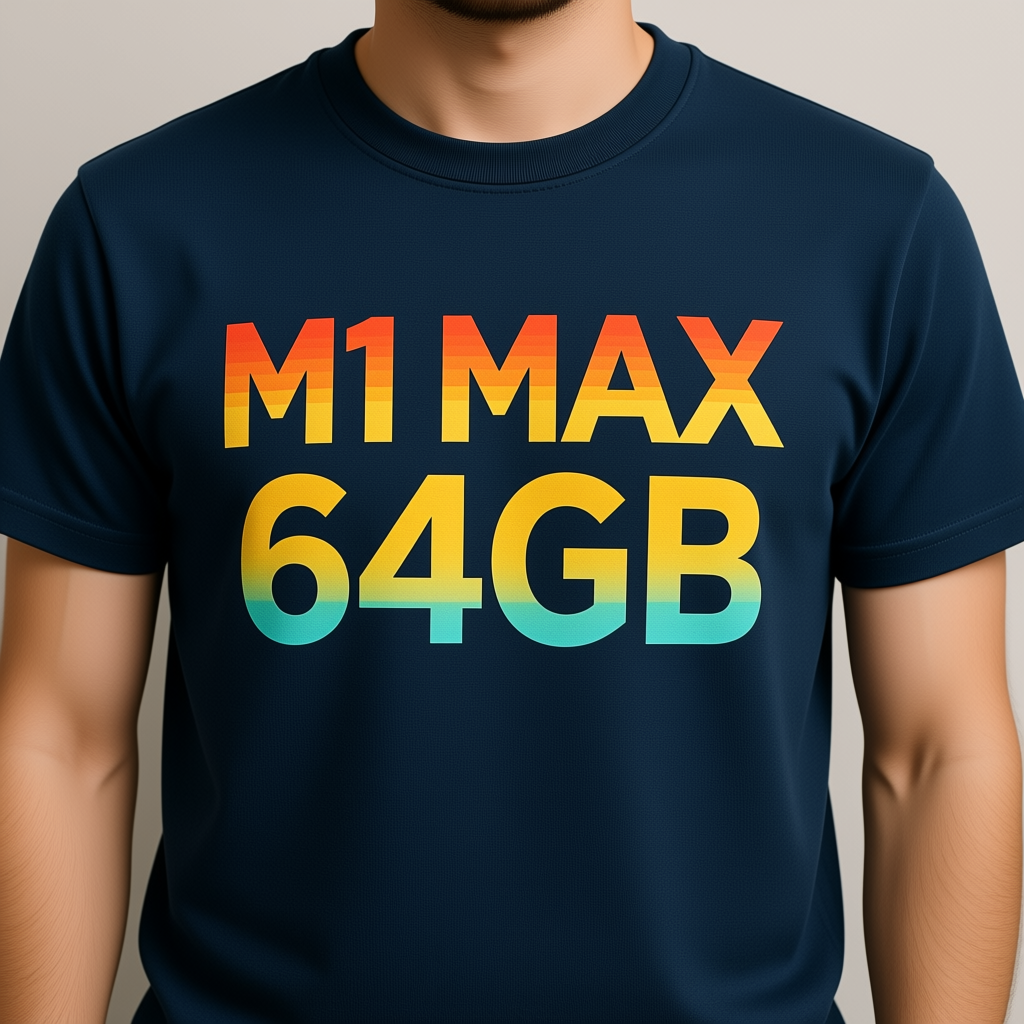
| 04 | a developer's t-shirt with "M1 MAX 64GB" retro 80s style | 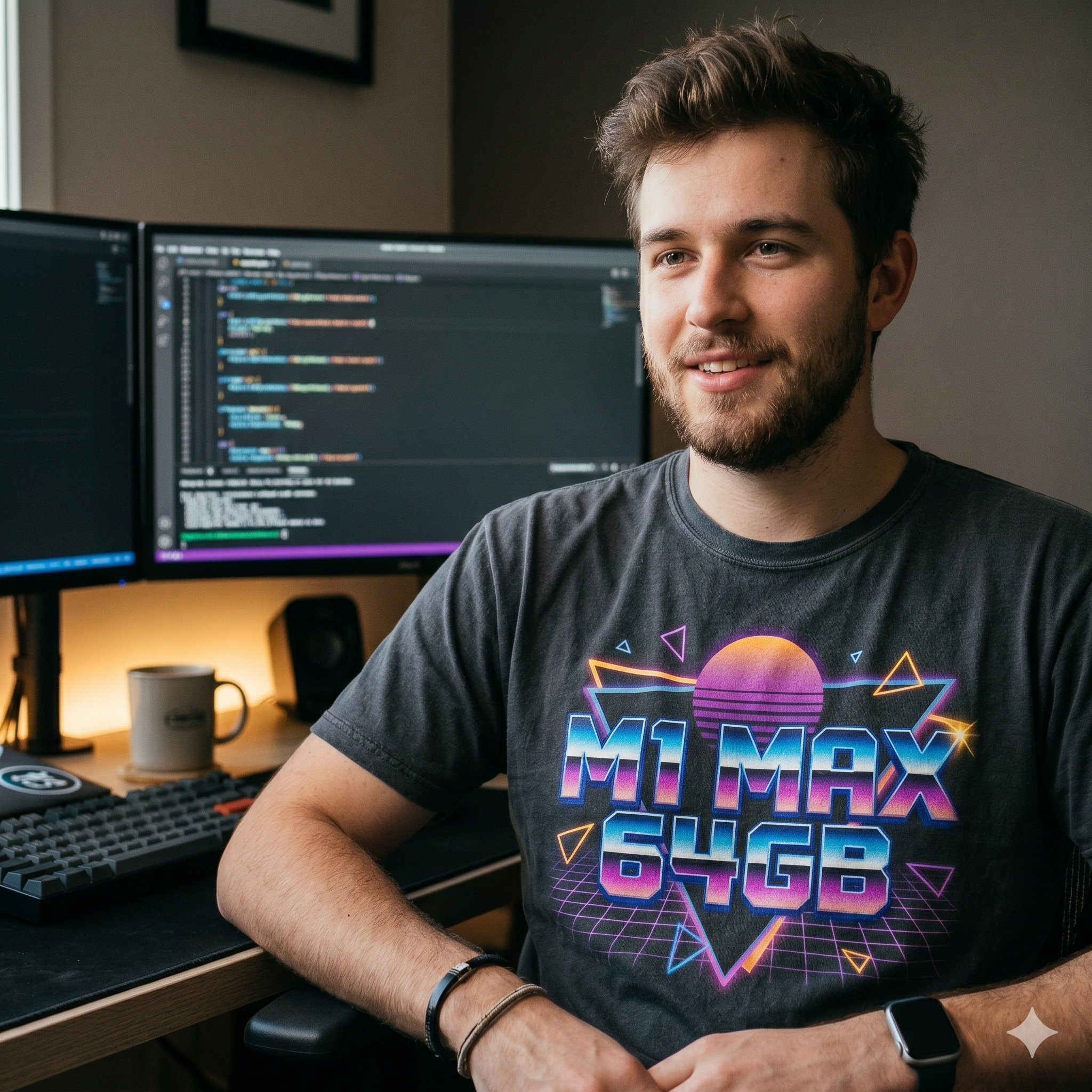 |
| 05 | a woman developer working at a laptop |  |
| 06 | a glowing AI brain made of circuits and neon | 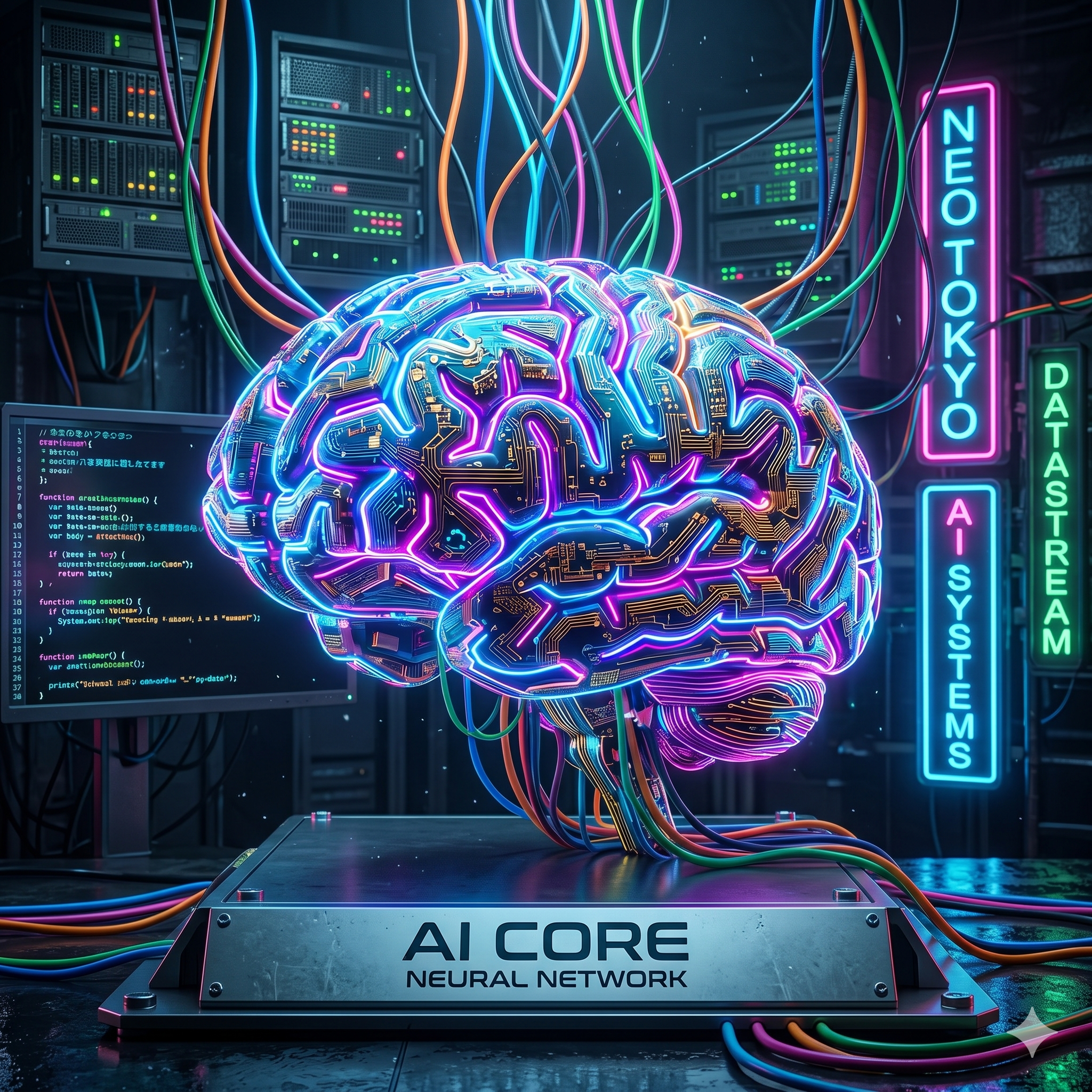 |
| 07 | three robots playing chess in a sunlit library |  |
| 08 | a wooden izakaya sign with the kanji "居酒屋" | 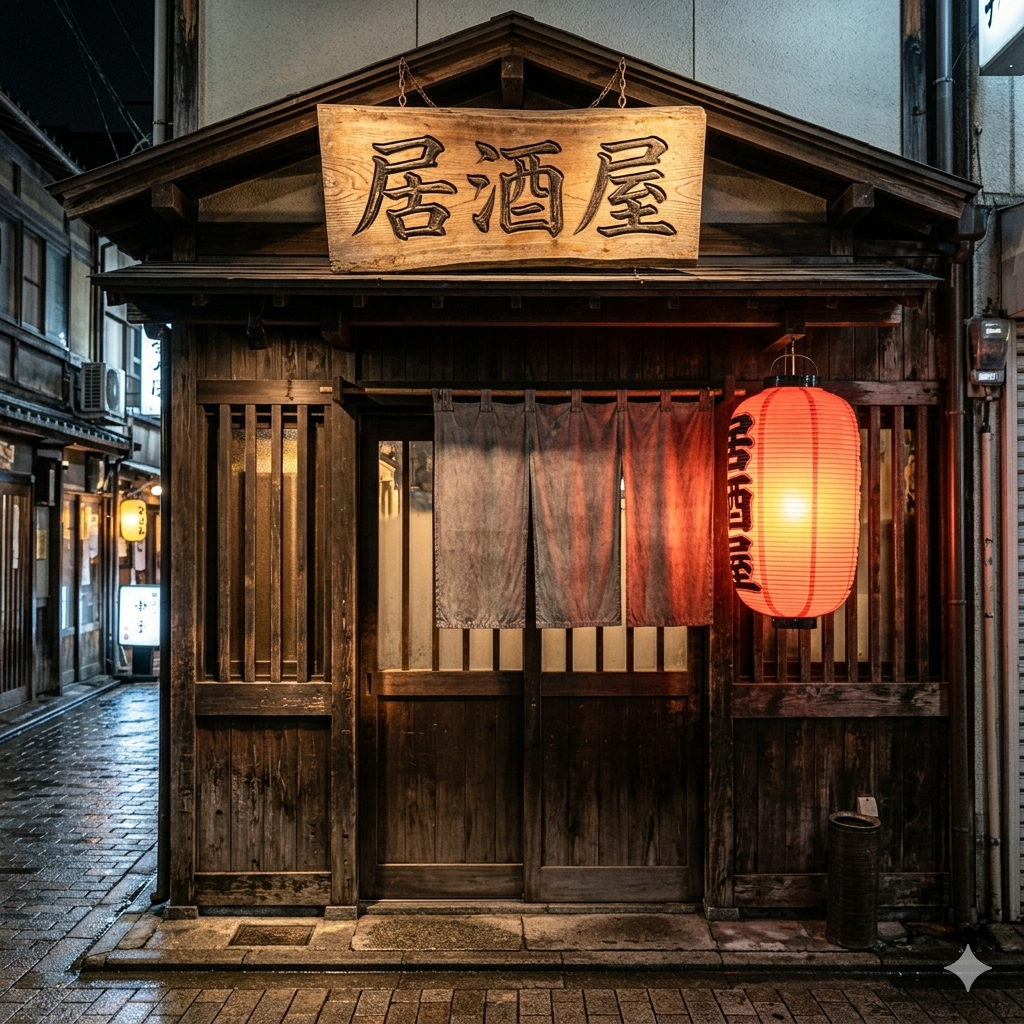 |
Per-prompt evaluation
01 Cat — finished as a scene
Cat on a bench. In contrast to Flux dev drifting to anime style, and Qwen Lightning landing at "mostly photorealistic with slight illustration feel," Gemini delivers a finished "photo of a cat." Lighting, depth-of-field, all natural.
| Flux dev (2024) | Qwen Lightning (2025) | Gemini (2025) |
|---|---|---|
 |
 |
|
| Drifts to anime / illustration | Mostly photorealistic, slight illustration feel | Finished as "photo of a cat", depth of field and light natural |
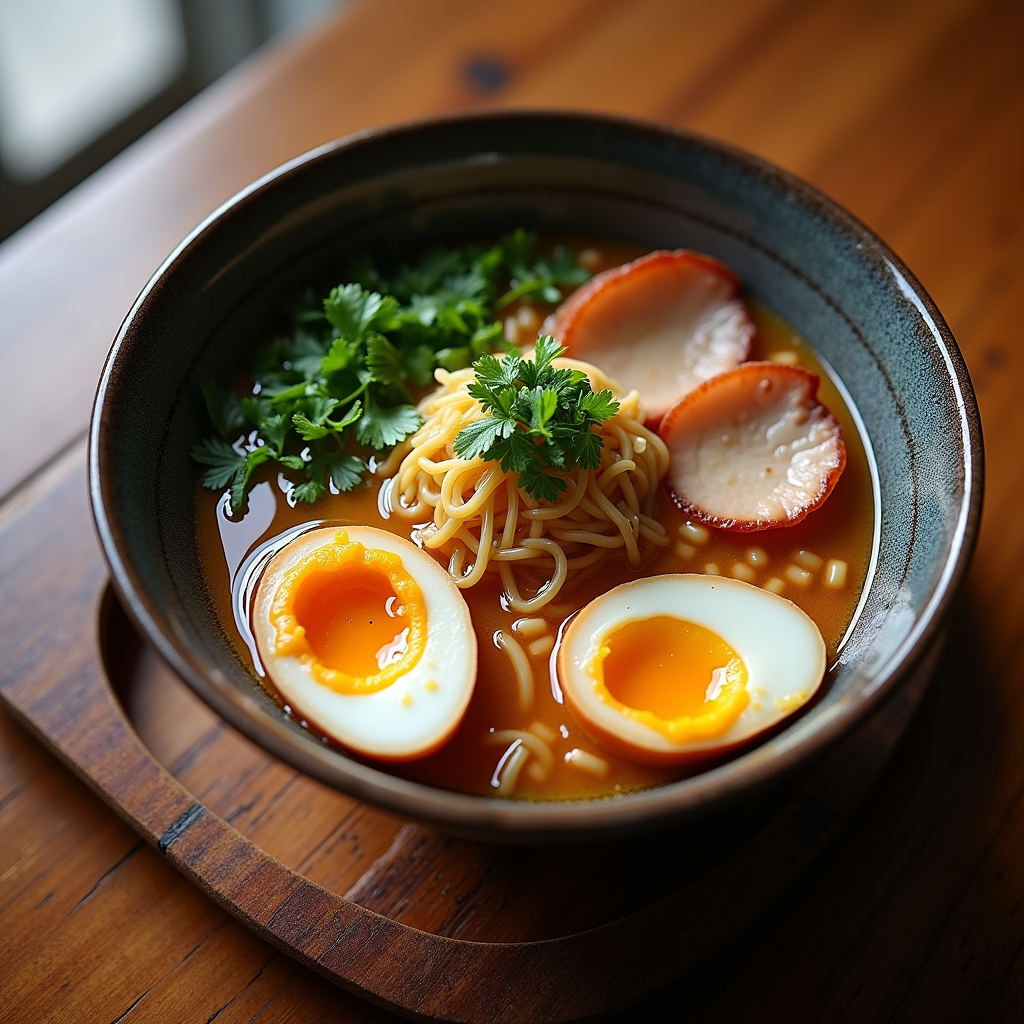
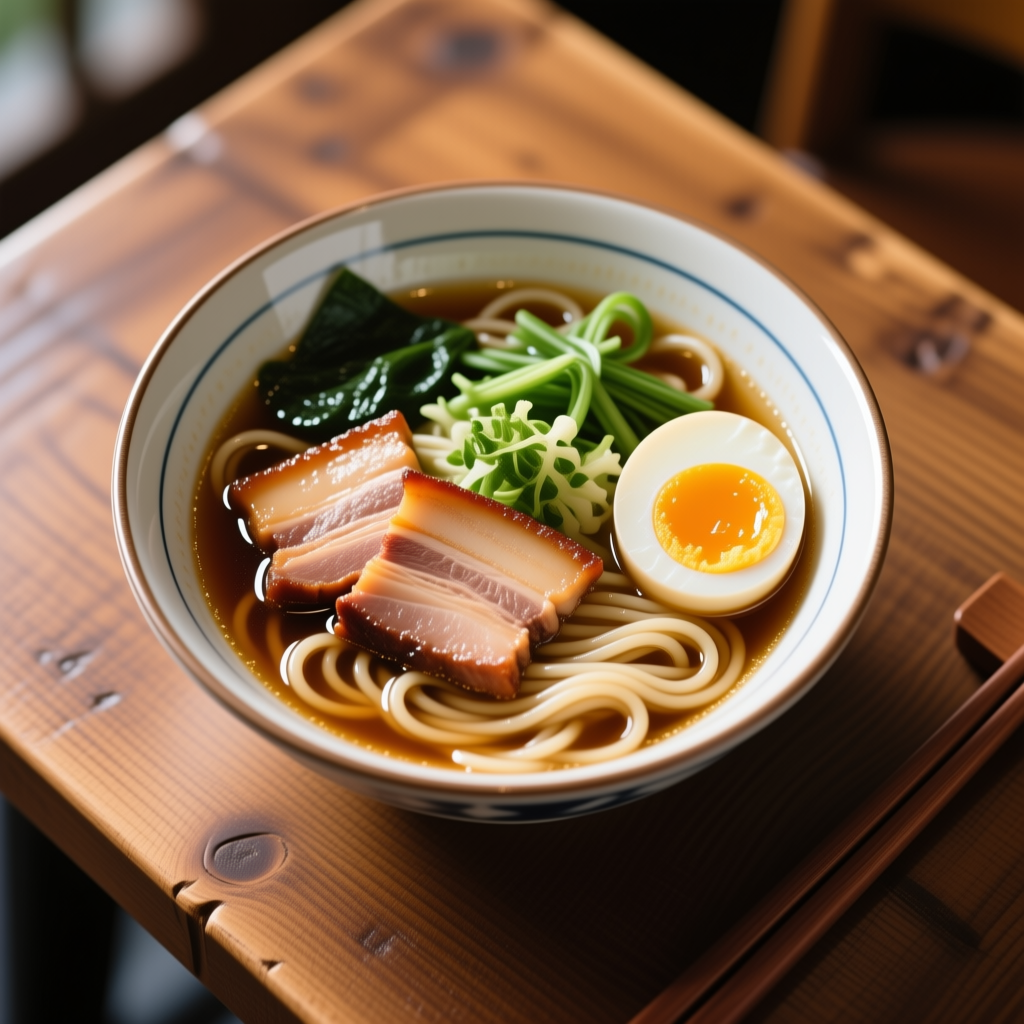
02 Ramen — straight-up "ramen shop photo"
Elements not even in the prompt are added correctly:
- 4 slices of chashu (braised pork — no quantity in prompt, model just decided)
- Nori (seaweed sheet, placed standing up — bonus authenticity)
- 1 soft-boiled egg (cross-section visible, as prompted)
- Menma (fermented bamboo shoots — down to the tip)
- Naruto (the pink-swirl fish cake — drawn with the actual swirl pattern)
- White sesame, green onion
- Wooden chopsticks, ramen spoon
- Side dish of shichimi (Japanese seven-spice)
- Glass of water
- Reclaimed wood table
| Flux dev (2024) | Qwen Lightning (2025) | Gemini (2025) |
|---|---|---|
 |
 |
|
| Cilantro inside (SE Asian crossover) | Just the green vegetable, otherwise fine | Ramen shop photo with side dishes |
→ Designed to generate "the entire scene context" beyond the prompt. This isn't "text → image" — call it "text → film set."
03 LOCAL AI — text rendering also perfect, on par with Flux dev
Sunset, meadow, wooden sign, "LOCAL AI." Roughly the same quality as Flux dev for the text. Where Gemini overwhelmingly pulls ahead is from 04 onward.
| Flux dev (2024) | Qwen Lightning (2025) | Gemini (2025) |
|---|---|---|
 |
 |
|
| Text perfect, lens flare too | Text perfect, Full's tic disappears | Text perfect, scene craft a step above |
→ Three-way parity on English text rendering. Flux dev / Qwen Lightning / Gemini all spell. The gap appears in "scene craft" (sunset texture, sign material feel) — that's where Gemini gradually pulls ahead.
04 M1 MAX 64GB t-shirt — beyond the prompt, draws the developer too
I asked for "a t-shirt with 'M1 MAX 64GB' in 80s style," and got a photo of a male developer wearing the t-shirt:
- "M1 MAX 64GB" perfect on the t-shirt, synthwave grid + sunset logo
- Dual monitors in the background (code displayed)
- Mechanical keyboard, coffee mug
- Apple Watch, wristband, smile
- Warm-light home office
| Flux dev (2024) | Qwen Lightning (2025) | Gemini (2025) |
|---|---|---|
 |
 |
|
| Perfect print, 80s synthwave fully captured | Perfect print | The developer wearing the t-shirt, dual monitors / code displayed |
→ Flux dev / Qwen Lightning create "the t-shirt design image." Gemini creates "the world in which the t-shirt exists." Different design philosophy — Gemini fills in unprompted "people," "environment," "context."
05 Woman developer — production-set-level craft
The prompt where local models all struggled: "vanished fingers," "PC floating," "cup on the PC." Gemini's output:
- 5 fingers naturally gripping a ceramic cup
- Laptop screen showing code
- A second monitor with another code view
- A copy of "Clean Code" (Robert C. Martin's classic) on the shelf
- Another book (cover looks like "Effective JavaScript")
- Handwritten notebook, ballpoint pen
- Plant
- Headphones, mechanical keyboard
- Background other developers blurred (co-working office vibe)
| Flux dev (2024) | Qwen Lightning (2025) | Gemini (2025) |
|---|---|---|
 |
 |
|
| Natural composition, leans pretty / illustration | OK as stock photo | Co-working office shoot |
→ Gemini doesn't make "stock photos," it makes "film sets." Choosing real book titles for the bookshelf is a level local can't reach.
06 AI brain — surpasses Flux dev even on cyberpunk
Neon circuit brain, dimensionality, light particles. Flux dev was already plenty clean — Gemini goes further. "Key art, ready to ship" level.
| Flux dev (2024) | Qwen Lightning (2025) | Gemini (2025) |
|---|---|---|
 |
 |
|
| Top of local, neon particles, light streaks | Practical, but resolution feel behind Flux dev / Gemini | Key-art ready, dimensionality and light particles in another league |
→ Even on abstract art, Gemini is the apex. Where Flux dev felt like the local ceiling, Gemini pulls another notch above. For cyberpunk / neon / glow key visuals, if you can pay, Gemini is the only choice.
07 Robots and chess — three different generations, with hidden story
Three robots, library, chess board, warm light, bookshelves, light through an arched window. Robot expressions, gazes, finger angles all built up.
On closer look, this is three robots from different generations playing chess:
- Left: Industrial-design android, display-style face → retro generation
- Center: Humanoid, smooth silver build, eyes perfectly rendered → modern generation (humanoid evolution)
- Right: Caterpillar (continuous track) base, bowl-shaped body → separate lineage / industrial robot lineage
The prompt only said three robots playing chess, but Gemini built a hidden narrative I'd call "the dialogue of robot history." In the background, two spectators are placed in soft focus, and on the table sits a leather-bound old book (a chess classic?).
→ Decisive example of Gemini's "goes beyond the prompt to build full scene context and story." Not just different from Qwen family's cartoonish expressions — Gemini outputs "a scenario," not "a picture."
| Flux dev (2024) | Qwen Lightning (2025) | Gemini (2025) |
|---|---|---|
 |
 |
|
| 3 robots + library, expression / hand detail rich | 3 robots + library, expressions slightly cartoonish | 3 generations of robot history dialogue, spectators, leather-bound book |
→ Flux dev / Qwen Lightning also handle "3 + library + chess" without breaking. Only Gemini adds story not in the prompt.
08 Izakaya — kanji + entire scene, the wall against local
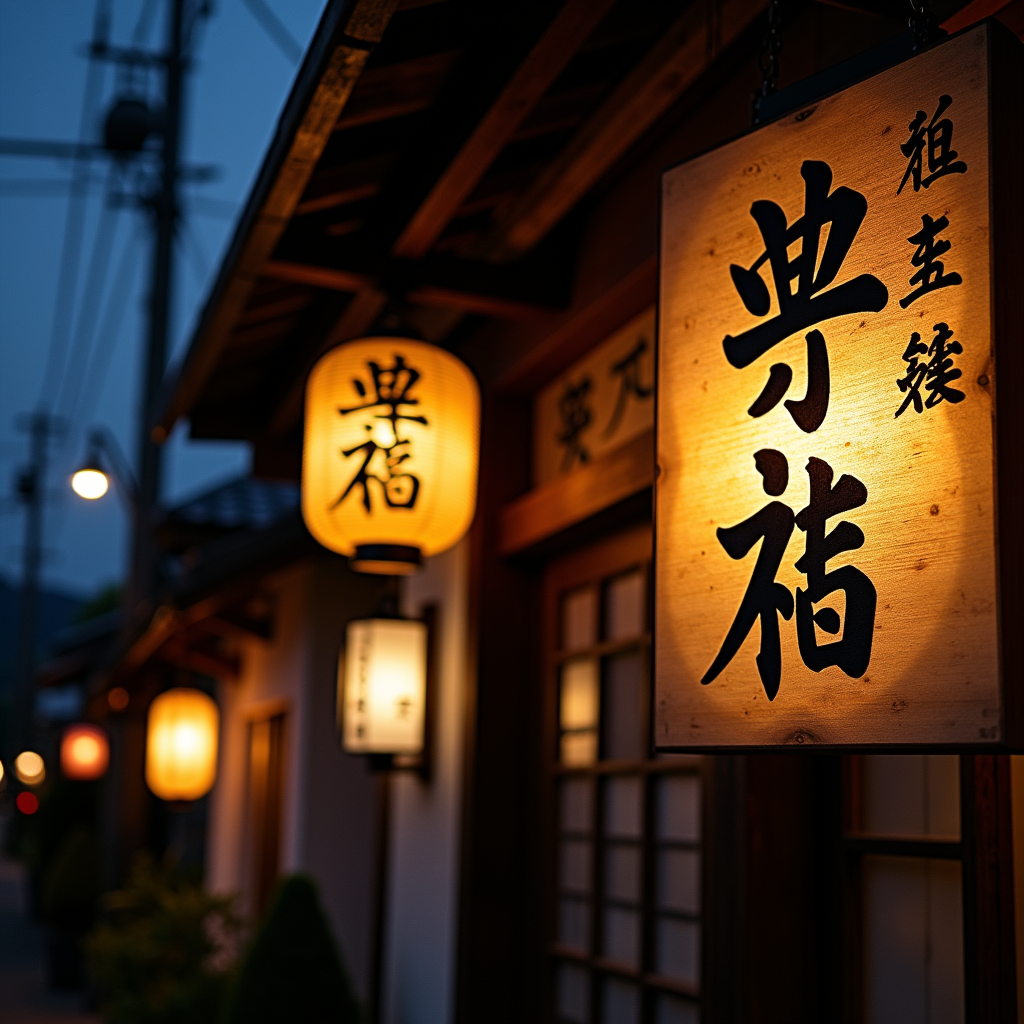
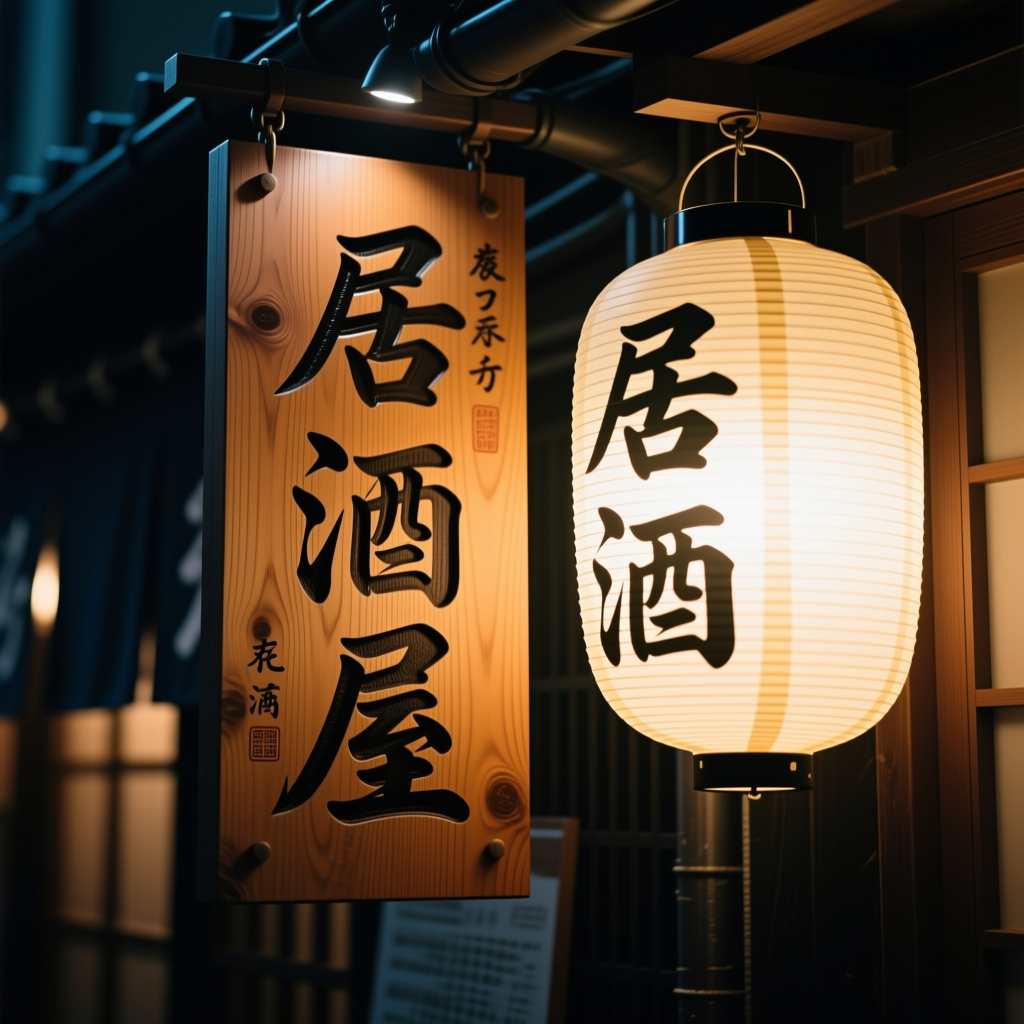
"居酒屋" 3 characters, brushed-ink feel, neon bleed on the lantern, light reflection on the wet-after-rain stone alley, even peeking inside the warm-lit interior.
| Flux dev (2024) | Qwen Lightning (2025) | Gemini (2025) |
|---|---|---|
 |
 |
|
| Kyoto townhouse style (ryotei aesthetics, cultural misread) + fake kanji | Kanji + storefront + warm light, perfect | Kanji + after-rain + surrounding story |
If Qwen Lightning is "passes as izakaya," Gemini constructs "a wet-stone alley after evening rain, izakaya at the back" as a full story.
→ The prompt with the largest gap in this article's comparison. Locally, Qwen Lightning can compete; Gemini is in a different dimension.
Conversational editing — Gemini's unique strength
Gemini's real strength isn't just generation. You can give edit instructions on a generated image conversationally:
- "Lower the sign on the izakaya" → only the sign moves; storefront stays
- "Make the night alley after rain" → ground texture changes to wet
- "Wouldn't you bump into a sign at that height? lol" → Gemini deadpans by adding a man holding his head and sweating in the image
This isn't possible locally:
| Family | Editing |
|---|---|
| Local (SD/Flux/Qwen) | Text → image, one-way only |
| Gemini | Image + text instruction → edit in the same model |
| Qwen-Image-Edit (separate model) | Possible, but separate repo / separate 40GB from Qwen-Image |
To do conversational editing locally, you need Qwen-Image-Edit, which means the base model + edit model = 80GB on disk. Gemini covers both in one model.
What worked
- Surpasses local on every evaluation axis: physical accuracy, text accuracy, cultural fidelity all
- Builds the entire scene context: elements beyond the prompt are added correctly
- Conversational editing in the same model: 1 model for generation + editing
- No local needed: zero GPU / disk / electricity cost
- Try immediately from the web: no pip install / model download
What didn't
- API billing: usage-based; fixed-cost risk during periods with no readers
- Cloud dependency: requires internet, requires Google account
- Weak prompt control: you wanted just the t-shirt design, but you got the developer too
- Less fine-grained control vs local: limited seed locking /
guidance_scaletuning - Crosses the indie-dev fixed-cost line: at $1/article, 10 articles × 10 images/month already adds up to a constant bill
Where this model earns its keep
To be honest: it kind of defeats the purpose, but if you can pay, just use Gemini (Nano Banana) lol
This article is a 10-model local image generation comparison, but the conclusion ended up being "Gemini, the cloud entry, wins by a landslide." Stock-photo-grade work runs fine locally; for "scene completeness," "story behind the picture," and "conversational editing," nothing local beats Gemini. If your monthly budget can take a steady cloud bill, the rational move is Gemini-primary, local-as-backup.
Organized:
- ✅ Quality-first key visuals: blog hero images, SNS card images — worth paying for
- ✅ Production requiring conversational editing: rough to clean in one model — unreachable locally
- ✅ Images with important kanji / cultural symbols: quality local can't match
- ✅ First image of an article (the header): rest can be filled by local
- ✅ Just trying 1–2 images: free tier + Web UI
- ⚠️ Bulk generation: each plan has monthly generation caps + the AI can refuse ("Try again later" on consecutive generations in the same session; guardrails are noticeably strict)
- ❌ Local-only / offline use cases: opposite of this article's philosophy (zero fixed cost) → use local
- ❌ All article illustrations on Gemini: 10 articles × 10 images/month gets painful; bulk → local
→ The only thing that stops the conclusion "just use Gemini for everything, lol" is indie-dev math: zero readers means zero revenue, but cloud bills don't care. That's this series' philosophy (zero fixed cost). I don't push local on people who can comfortably pay for Gemini. Flux dev (English-circle) and Qwen Lightning (Asian-circle) are for those who can't or won't.
Gotchas / tips
1. Test in Web UI before going to API
Better than hitting the API straight off — try the same prompt in the https://aistudio.google.com/ Web UI, confirm quality feel, then move to API. Saves wasted billing.
2. Don't generate multiple candidates in one prompt
No "n=4" setting like GPT-4. 1 request = 1 image. If you want multiple candidates, hit it multiple times.
3. Keep prompts simple
Local-style incantations like photorealistic, highly detailed, 8k, masterpiece are counter-productive. "a bowl of ramen" alone produces Japanese ramen. Gemini's training data density is different — fewer modifiers, more stable.
4. Aspect ratio via API parameter
config = {"aspect_ratio": "16:9"} # SNS banner
Default is 1:1. For article headers go 16:9, Pinterest 2:3, X (Twitter) thumbnails 16:9.
5. Know your plan's monthly generation cap
Web UI runs on Google AI Pro plan ($19.99/month) flat fee — no usage-based billing like the API. But there's a monthly generation cap per plan, and at the cap it just shows "can't generate" and stops (no overage charges). For heavy use within the month, wait for the next reset.
The API is separate, with usage-based billing — for API use, set a budget alert in Google Cloud Console (details in the v9b paid article).
6. If you're going to use the API, read the paid article first
The API can call gemini-2.5-flash-image, but there's a systematic quality difference vs Web UI. Billing-link traps, model name traps, kanji rendering differences, trademark prompt guardrails — API-specific pitfalls have a separate article.
[Paid article $3] Gemini API was supposed to be the best — Web UI beat it (v9b) If you're about to spend tens to hundreds of dollars / month on the Gemini API, reading this $3 article first is cheaper than learning the gotchas yourself. I already paid the verification cost.
For personal blog use, Web UI is enough — that's this article's conclusion.
The philosophical local vs cloud divide
This series ("local AI within reach for individuals") and Gemini sit on opposite poles.
- Local: only electricity, zero fixed cost, no loss when you have no readers
- Cloud: usage-based billing, fixed cost stings during reader-less periods, but quality is in a different league
→ For stock-photo level, local (Qwen Lightning / Flux dev) is enough; for film-set level, cloud (Gemini) is required.
The conclusion "just use Gemini for everything, lol" doesn't quite land. Indie-dev math is why. Building an article pipeline that runs even when readers don't show up — local-only is structurally stronger long-term.
Comparison article and next models
Related articles in this series:
- v6 Flux.1 [dev] — Top photorealism for local, but with an English-native bias
- v8 Qwen-Image Lightning — Distilled to 8 steps, then it became the best local model
- [Paid article $3] v9b Gemini API was supposed to be the best — Web UI beat it (required reading if you're considering the API)
Next (planned):
- Part 3: AI drawing different national cuisines — visualizing geographic bias in training data (draft)
Test environment: Gemini 3.1 Pro mode, 8 prompts Run log: 2026-04-29 to 04-30, Gemini 2.5 Flash Image (Nano Banana)